
The problem
Matching and generation still left people judging, checking, submitting, and tracking each application.
Portfolio · AI product design · New narrative draft
As founding designer, I shaped a connected job-search experience where AI explains a match, helps revise a resume, and applies within boundaries the job seeker chooses.
The problem
Matching and generation still left people judging, checking, submitting, and tracking each application.
My contribution
Connect the journey and define what AI explains, what people review, and when automation may act.
Impact
2,700+ users enabled Auto Apply, about 1,300 of them paying. Onboarding completion rose from 73% to 96% after a one-week A/B test.
01 / My role
JobNova helps job seekers evaluate roles, tailor materials, and manage applications in one place. I worked with product and engineering from discovery through interaction design, the UI system, and release review.
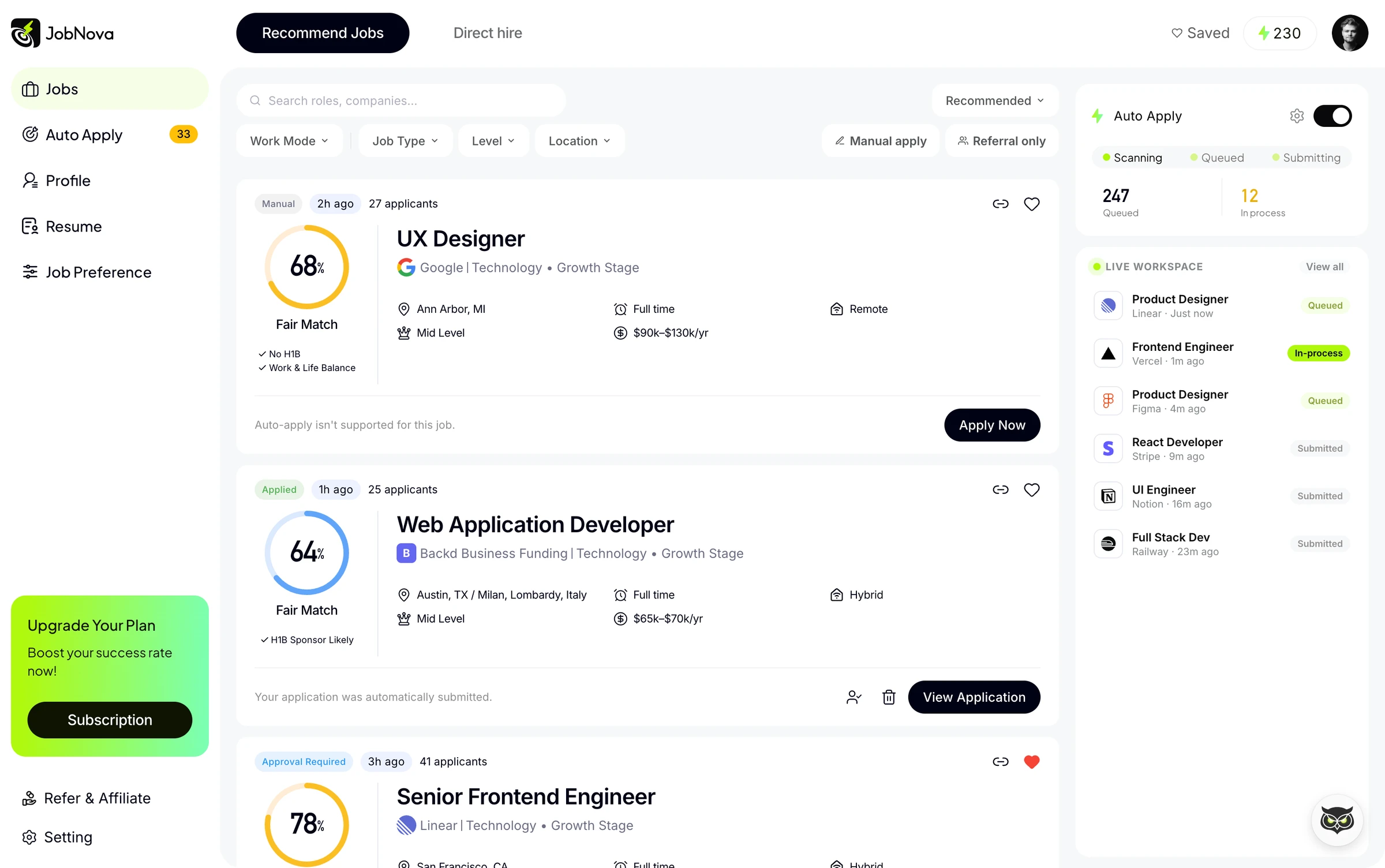
Use research and the application journey to shape scope with the founder.
Define explanations, review points, permissions, and recovery states.
Create reusable patterns and review interface and output states with engineers.
02 / Research & reframing
I used 20+ interviews and journey mapping to examine where people spent effort and where they wanted AI to stop. The research synthesis pointed to three connected needs.
Help people understand why a role deserves attention before tailoring an application.
Make generated changes visible so the user can verify their professional story.
Support different review needs before AI submits something in the user’s name.
I reframed the product around completing relevant applications with a level of control the user chooses.
The same cohort leaves a concrete design question: 84 people did not finish setup. The funnel locates the gap; it does not explain why they left. Anonymized research notes and step-level drop-off data are still needed.
03 / Workflow strategy
I connected matching, customization, application, and tracking. At each handoff, I defined the information AI supplies and the decision that remains with the person.
AI surfaces fit and gaps. The person decides which opportunity is worth pursuing.
AI proposes resume changes. The person can inspect and edit the content.
AI applies under selected criteria, materials, and approval settings.
The product exposes progress, submitted materials, and what needs attention.
This made the design problem specific: reduce repetitive work while keeping consequential actions understandable and reviewable.
04 / Explain the fit
I separated quick prioritization from deeper evaluation: a compact job list leads into fit details and a contextual Agent. The detail view connects strengths and gaps to a possible next step.
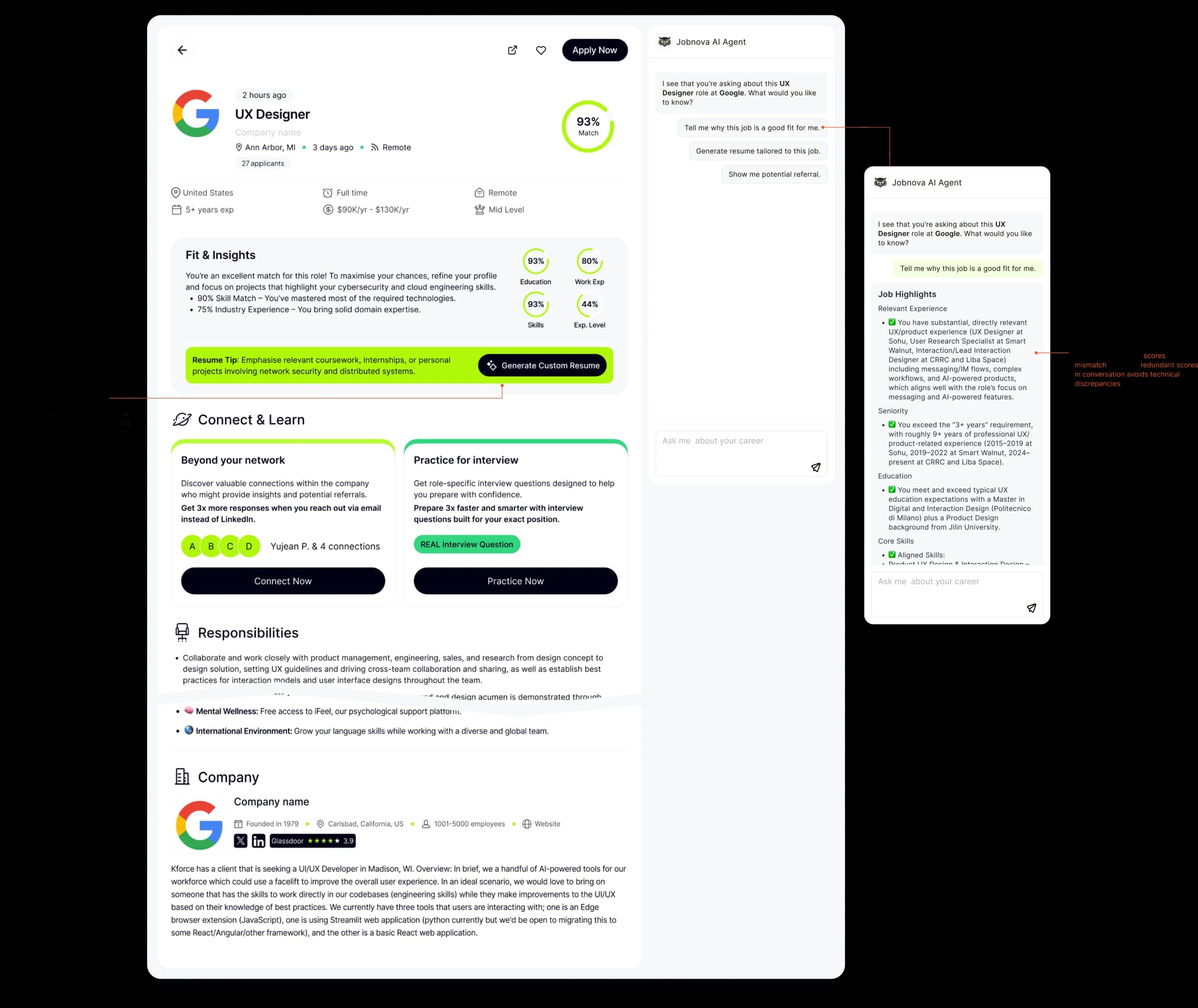
The tradeoff: putting every explanation on the list adds reading before users know which role matters. I kept the scan view compact and moved the reasoning into details.
05 / Review the changes
I designed two review levels: an overview of what changed, followed by section-level editing. This lets people check the output and correct their story before using it.
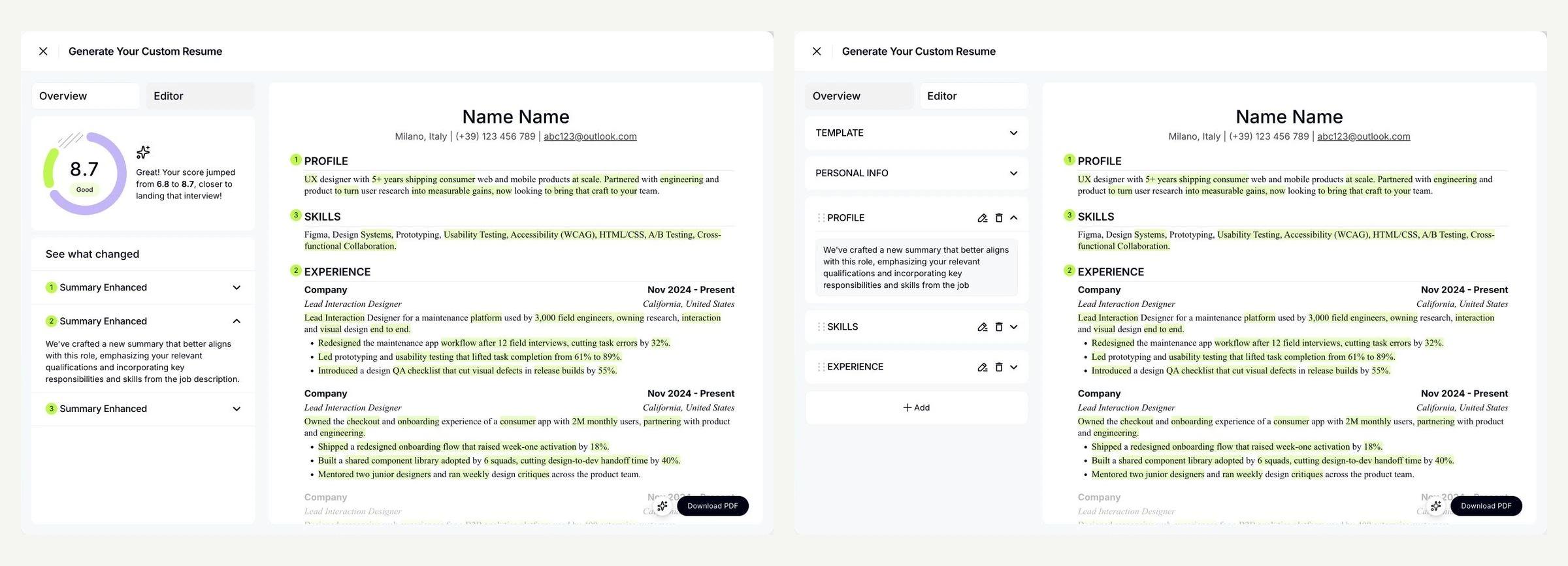
The tradeoff: a finished document hides the work needed to verify it. I exposed changes and editing controls rather than treating generation as completion.
06 / Govern the action
I organized Auto Apply into matching criteria, autonomy, materials, and notifications. A person can decide which roles qualify, whether approval is needed, and which documents the system may send.
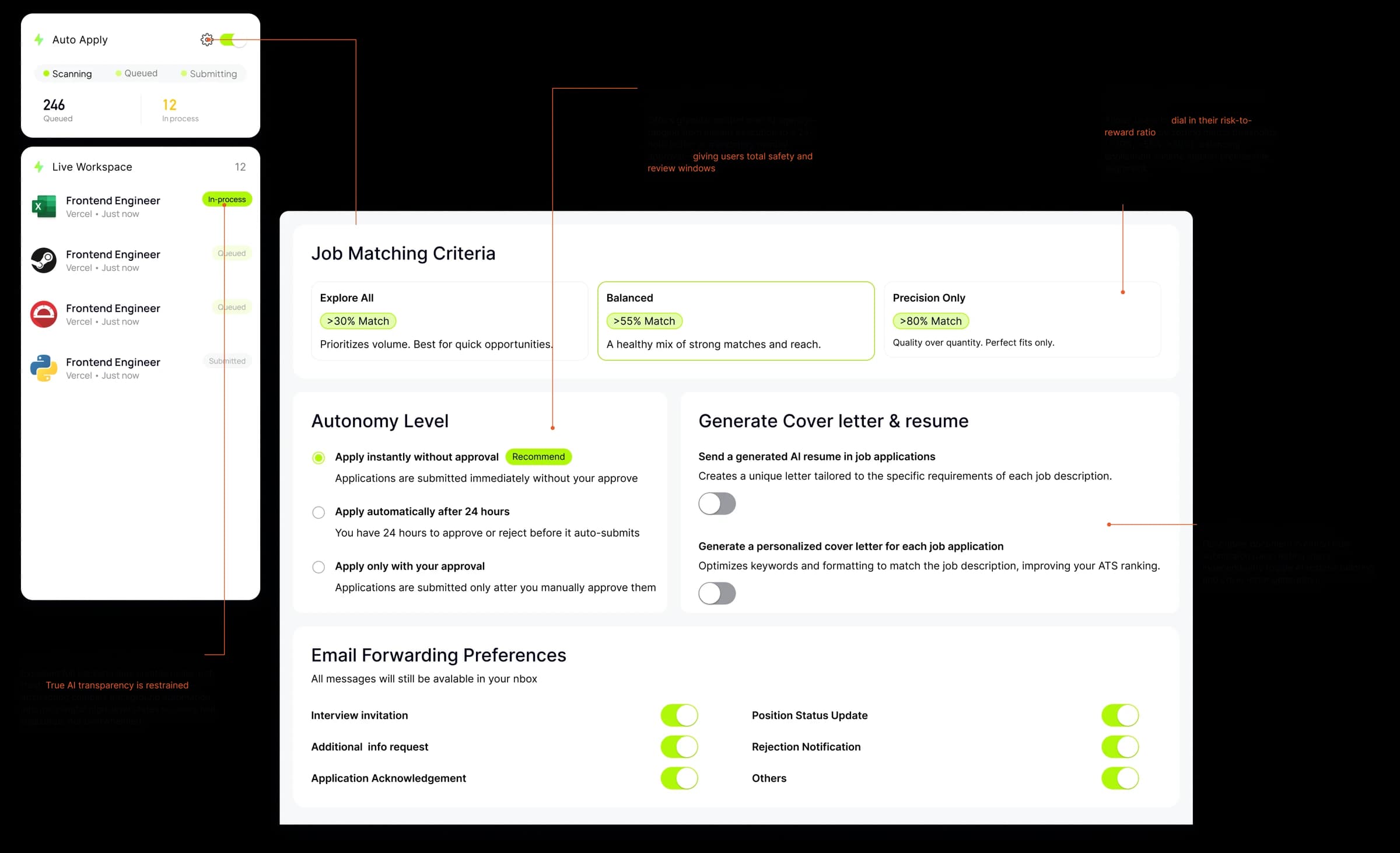
Matching strategy and job preferences bound the roles automation can pursue.
Approval modes make the point of human intervention explicit.
Resume and cover-letter choices define the materials used on the person’s behalf.
The tradeoff: granular controls add setup effort. I grouped them into understandable decisions; setup completion and later rule changes are the measures needed to evaluate that balance.
07 / Follow the outcome
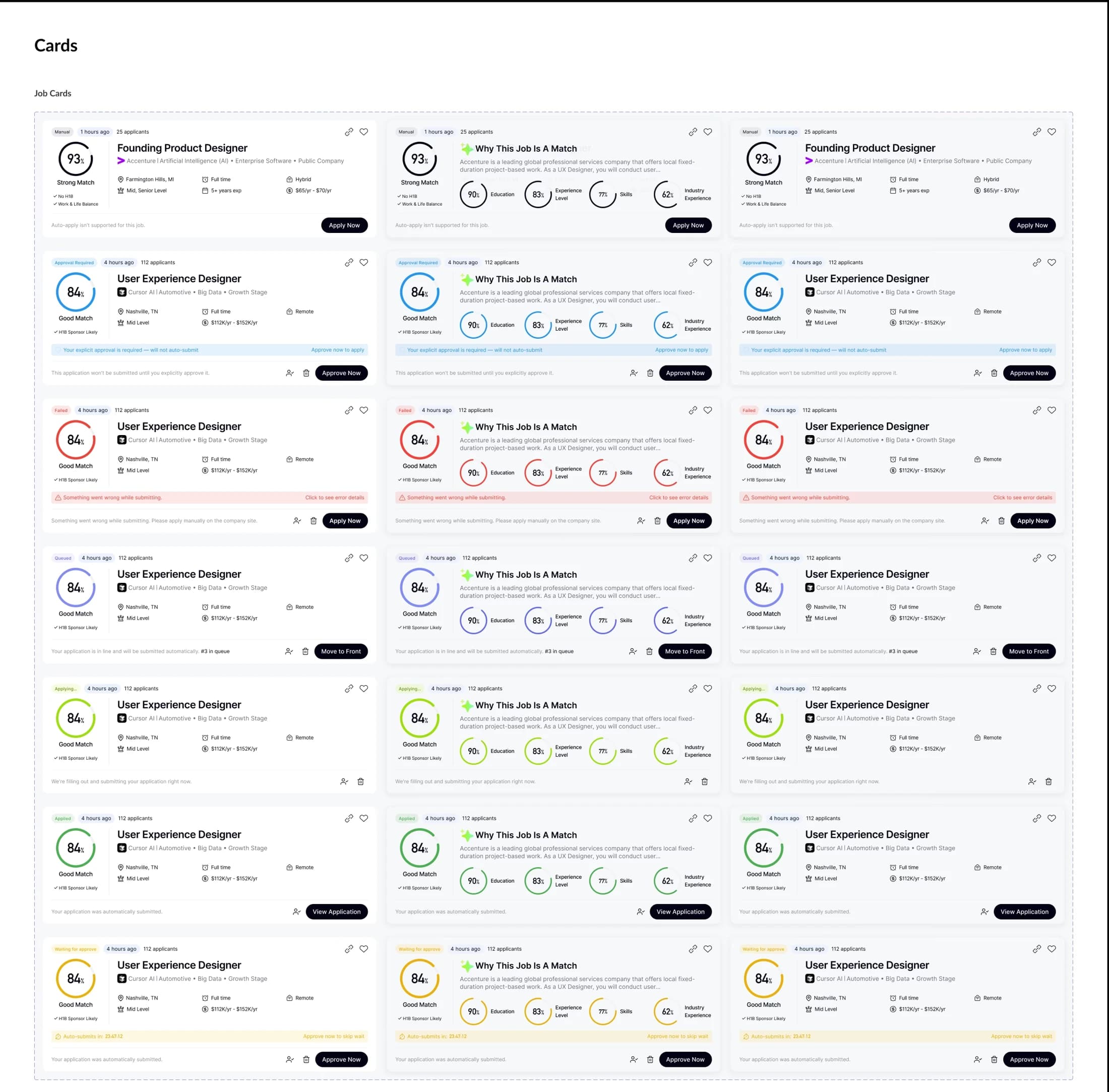
I connected application progress, submitted material versions, and replies to the application record. Queueing, submitting, waiting for approval, and failure need different feedback and next actions.
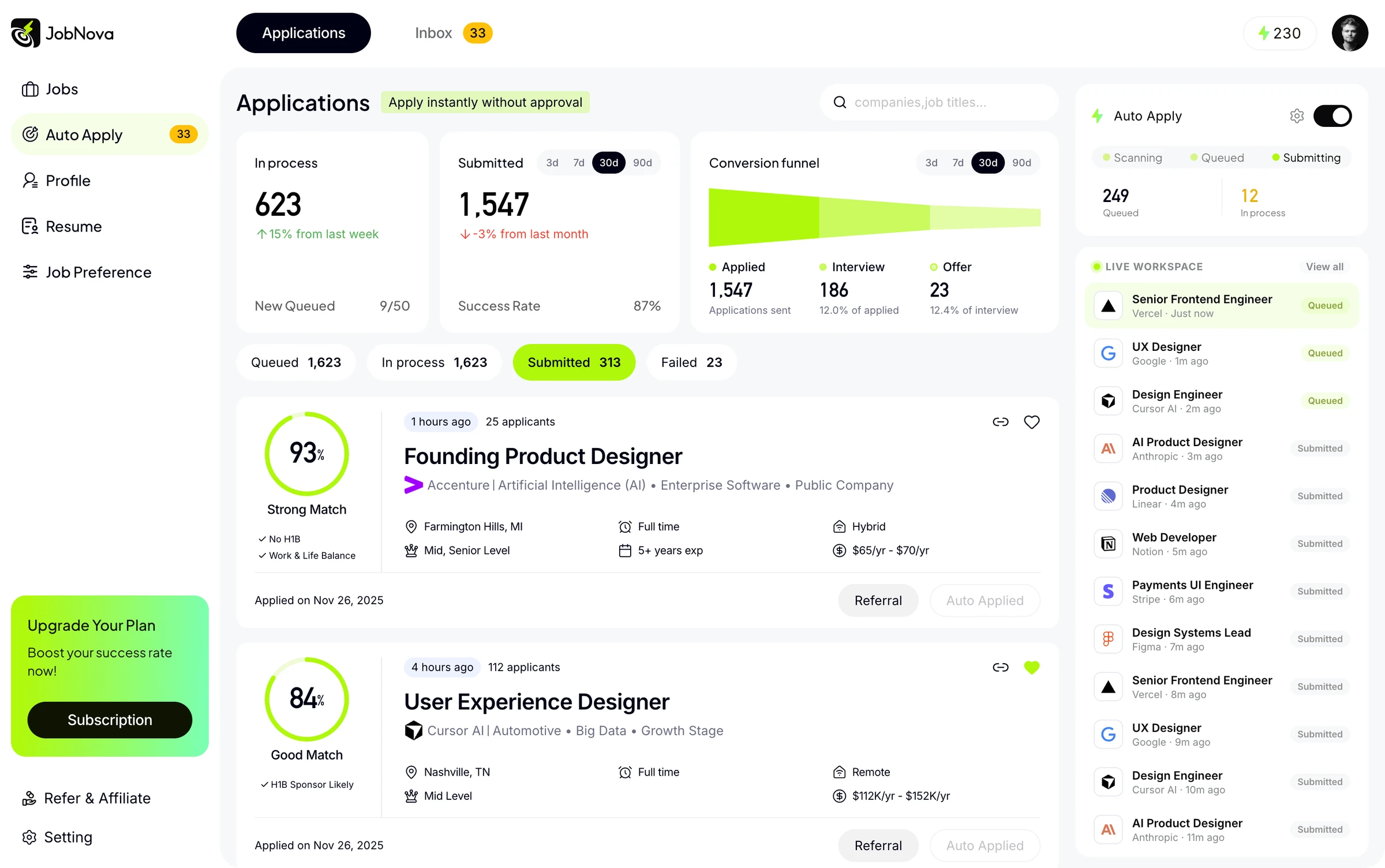
Distinguish queued work from active submission so waiting has a clear meaning.
Separate pending approval and manual steps from unattended execution.
Make recovery needs visible and preserve a record of what was sent.
08 / System & delivery
I brought matching, review, and application states into reusable patterns. With ML and full-stack engineers, I reviewed output quality, UI states, and recovery paths through handoff and release QA.
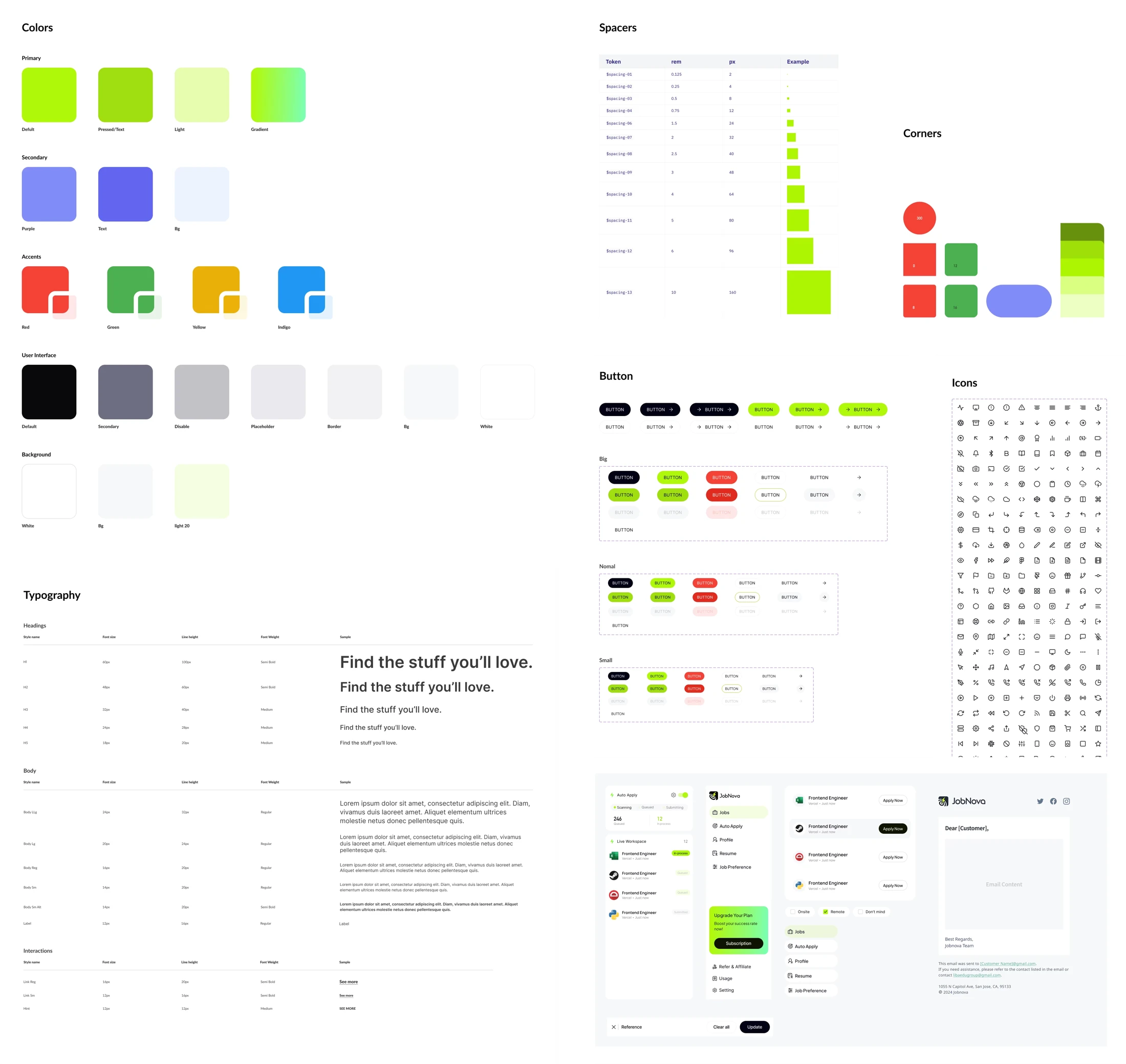
Delivery evidence to add: one annotated handoff or QA example showing an issue I identified, the decision made with engineering, and the final change.
09 / Results
I redesigned onboarding from a single screen into a step-by-step flow and shipped it after a one-week PostHog A/B test. The earlier 30-day cohort in section 02 had already located the largest drop-off: the step from a finished profile to granting automation permission.
10 / Reflection
The core design contribution is the relationship between explanation, review, permission, and feedback. To choose the next iteration, I would locate the largest drop-off between setup, first application, and continued use, then examine the corresponding interaction.
Compare setup completion and abandonment by step before simplifying the controls.
Pair approval behavior and rule changes with feedback about unwanted applications.