

00
Early Opportunity
- Initial concept
- Fragmented workflow identified
- Early product hypothesis defined
CROSS-TEAM TOUCHPOINTS
Team
Aligned research goals and product priorities
Designing a 0-to-1 AI job-search system that helps users complete relevant applications faster without giving up trust or control.
About JobNova
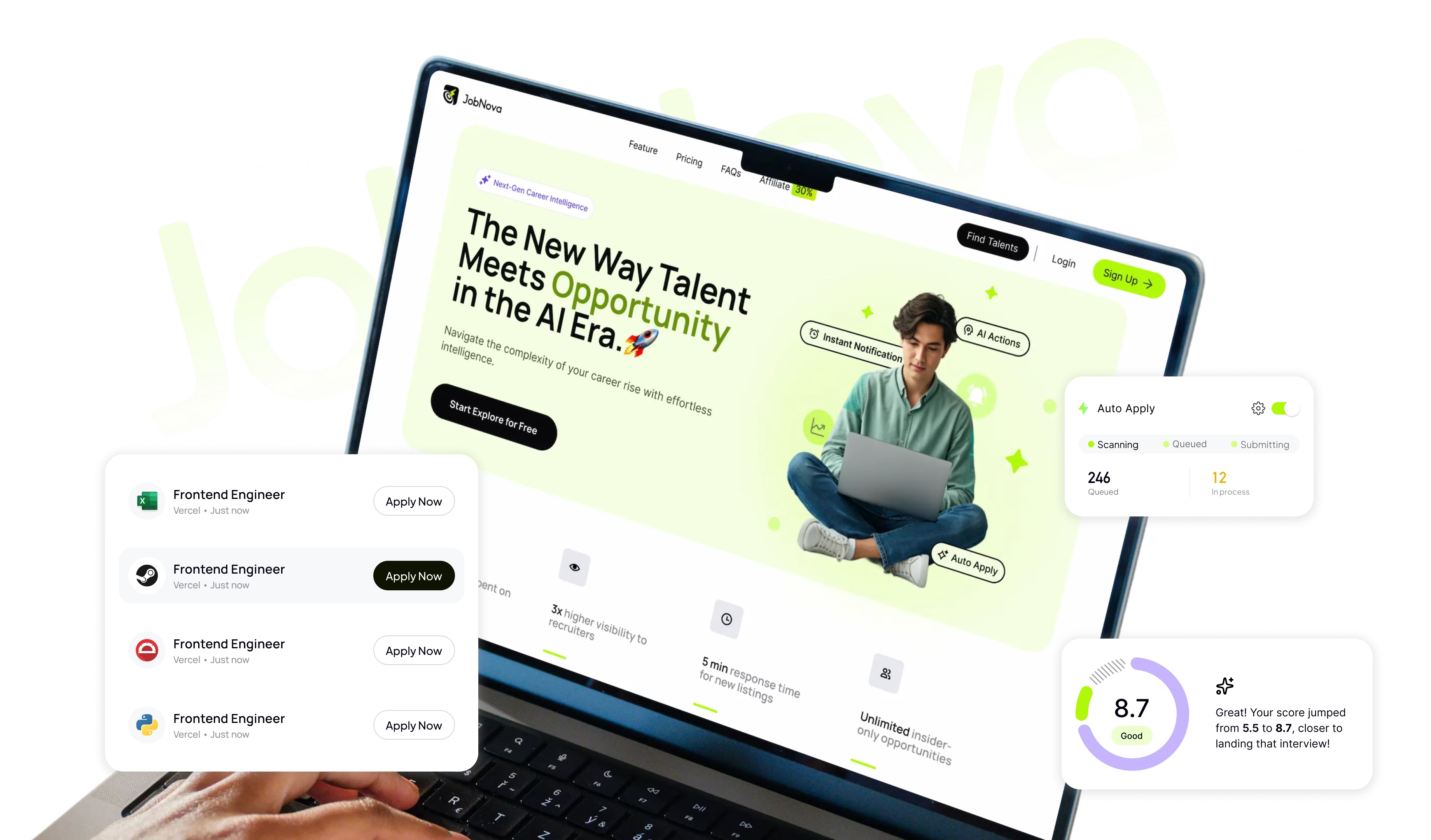
Most AI job-search products automate individual tasks. JobNova redesigns the entire application workflow, from discovering the right opportunities to completing trustworthy applications.
View live siteRole
Founding Designer
End to end product design from research to delivery
Team
2 Designers (Me & 1 Intern)
1 Product Manager (Founder)
1 Full-Stack Engineer
2 ML Engineers
Tool
Company
Nova AI
Year
2025 - Ongoing
01 / The fragmented journey
Existing tools helped users write, score, autofill, or track pieces of the process. But users still had to stitch together discovery, evaluation, application, and follow-up across disconnected products.
02 / How I worked
CROSS-TEAM TOUCHPOINTS
Aligned research goals and product priorities
CROSS-TEAM TOUCHPOINTS
Refined the problem space and feature priorities
Checked whether AI could support the proposed concepts
Reviewed platform and integration constraints
CROSS-TEAM TOUCHPOINTS
Reviewed scope and design decisions at each iteration
Explored feasibility for matching, resume generation, and automation
Reviewed implementation feasibility before handoff
CROSS-TEAM TOUCHPOINTS
Direct back-and-forth to resolve UI and flow gaps
Reviewed output quality and failure cases
CROSS-TEAM TOUCHPOINTS
Shared findings to inform roadmap priorities
Reviewed model performance and failure patterns
Investigated product and integration issues
03 / The first hypothesis
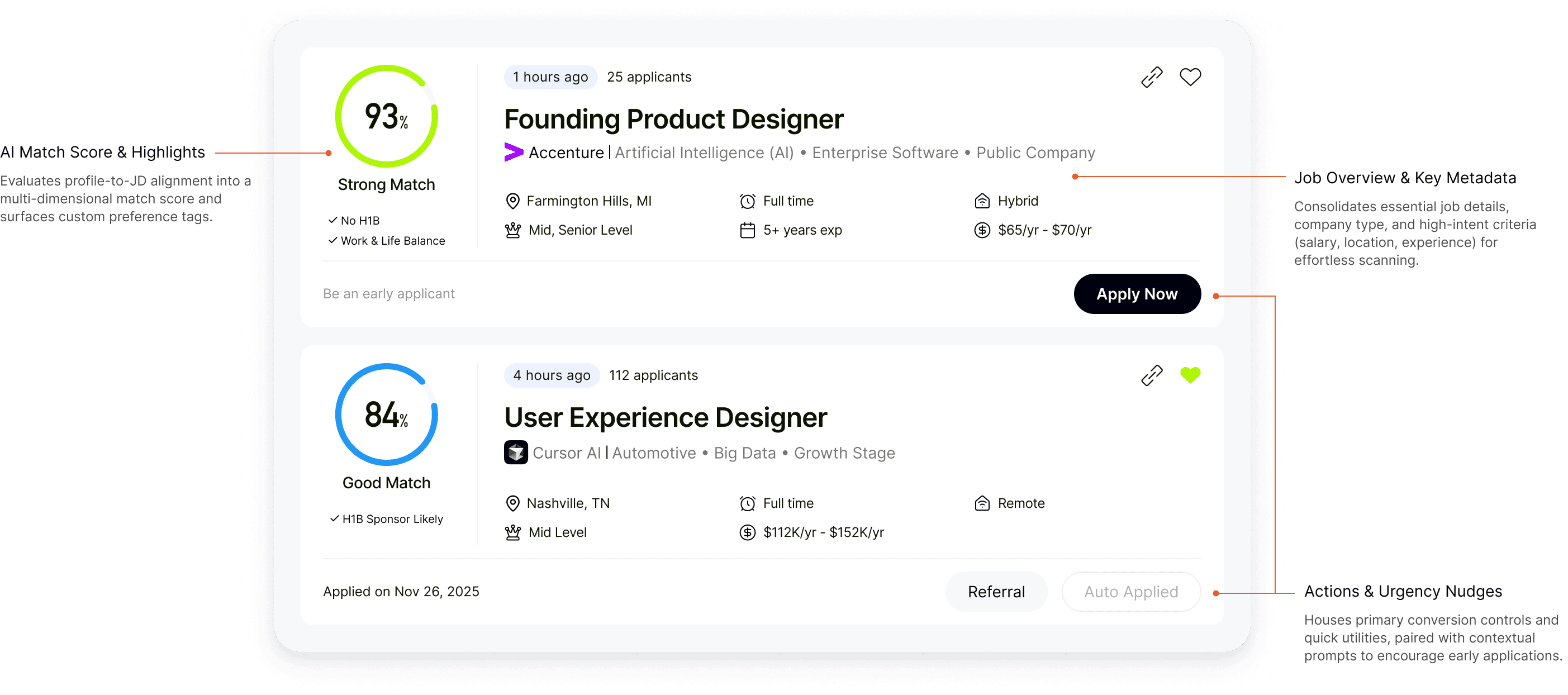
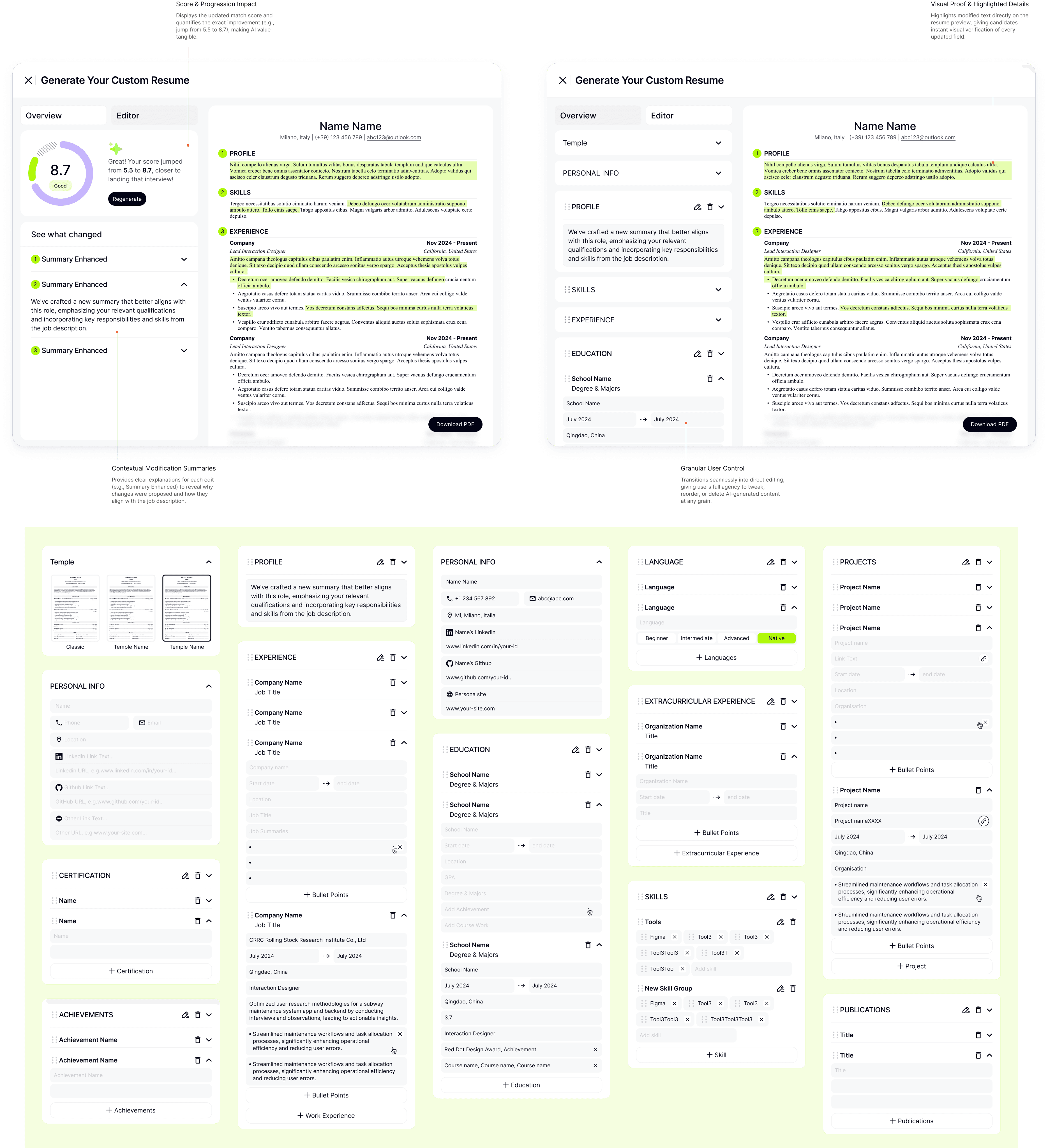
The first bet was a stack of AI features: find matching jobs and explain why they matched, generate application materials, then add job training and referrals from our own resources.
Job matching
Job details
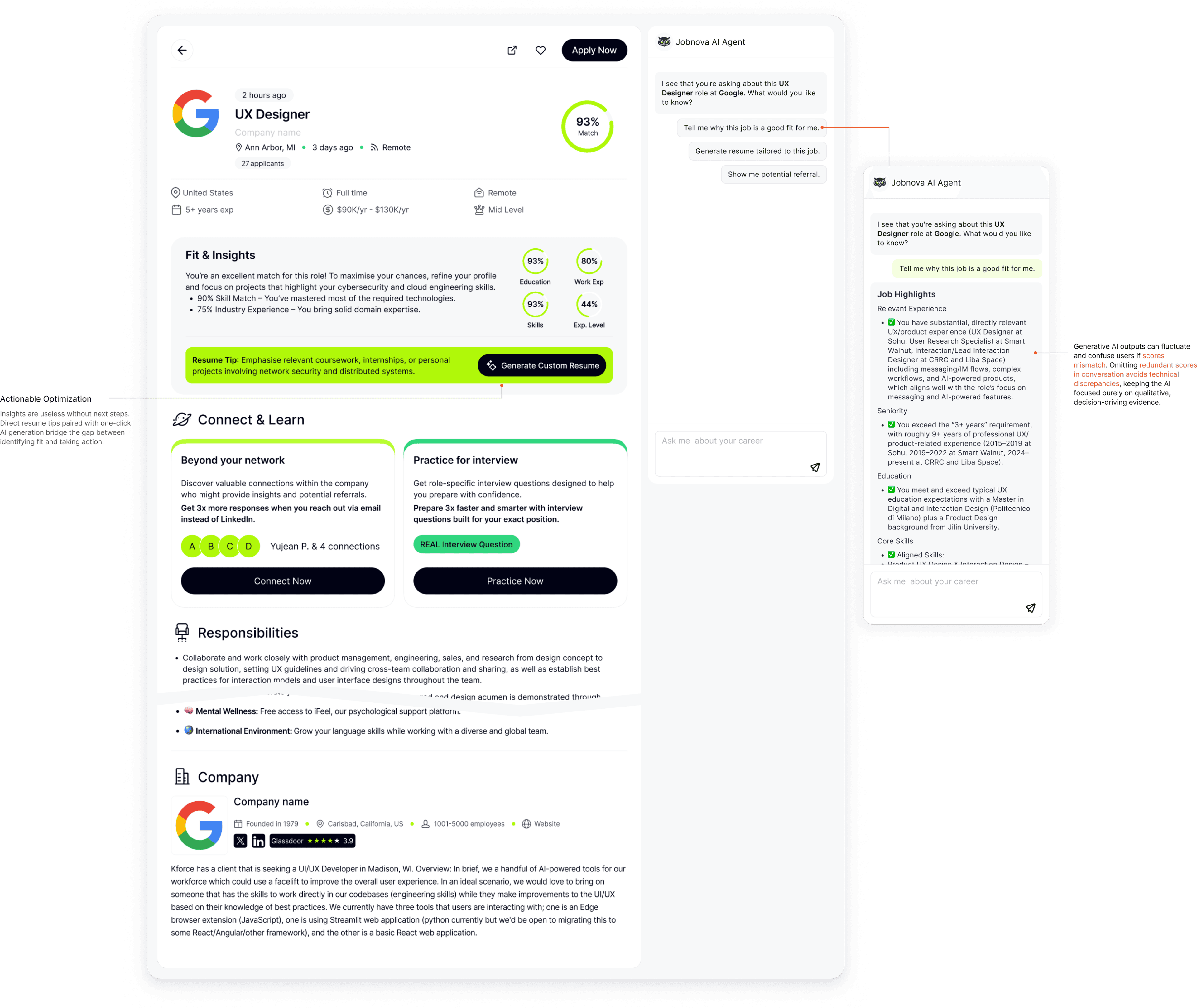
Tailored resume
Outcome
Users could see matched roles from multiple platforms in one place, generate tailored materials for a specific job, and find people to contact. AI raised the efficiency of those steps. They no longer had to hop between boards just to start.
The problem
Users still had to judge which roles were worth applying to, submit each application themselves, and track every outcome one by one. Faster pieces did not remove the labor of the full process.
04 / What research showed
Across 20+ interviews, faster matching and tailored materials still left the same labor in the user's hands: decide, submit, and track, one role at a time.
“By the time I tailor everything, the best opportunities already feel out of reach.”
The product direction
Automate the application. Users should only need to focus on interviews.
05 / One complete application journey
That meant one complete application journey: match, customize, apply, and track. Auto Apply became the product that ran that loop, so users were no longer judging, submitting, and following up one role at a time.
06 / Four levels of AI responsibility
Auto Apply would let users leave the forms. It would also send applications in their name. The product had to hold both at once, at every step of the loop.
Autonomy
If users still judge, submit, and track one role at a time, Auto Apply is not doing the job. The system has to take the repetitive work so they can leave the forms.
Control
Applying on someone’s behalf is high-stakes. A submitted application cannot be taken back. Users need to set where AI may act before it sends, see what went out, and stop or tighten the rules so it does not keep going.
That balance needed four moments of AI responsibility, not four separate features.
Match, customize, apply, and track had to work as one loop. Each step changed how much the AI was allowed to do, and none of them could succeed alone.
07 / A permission system, not a switch
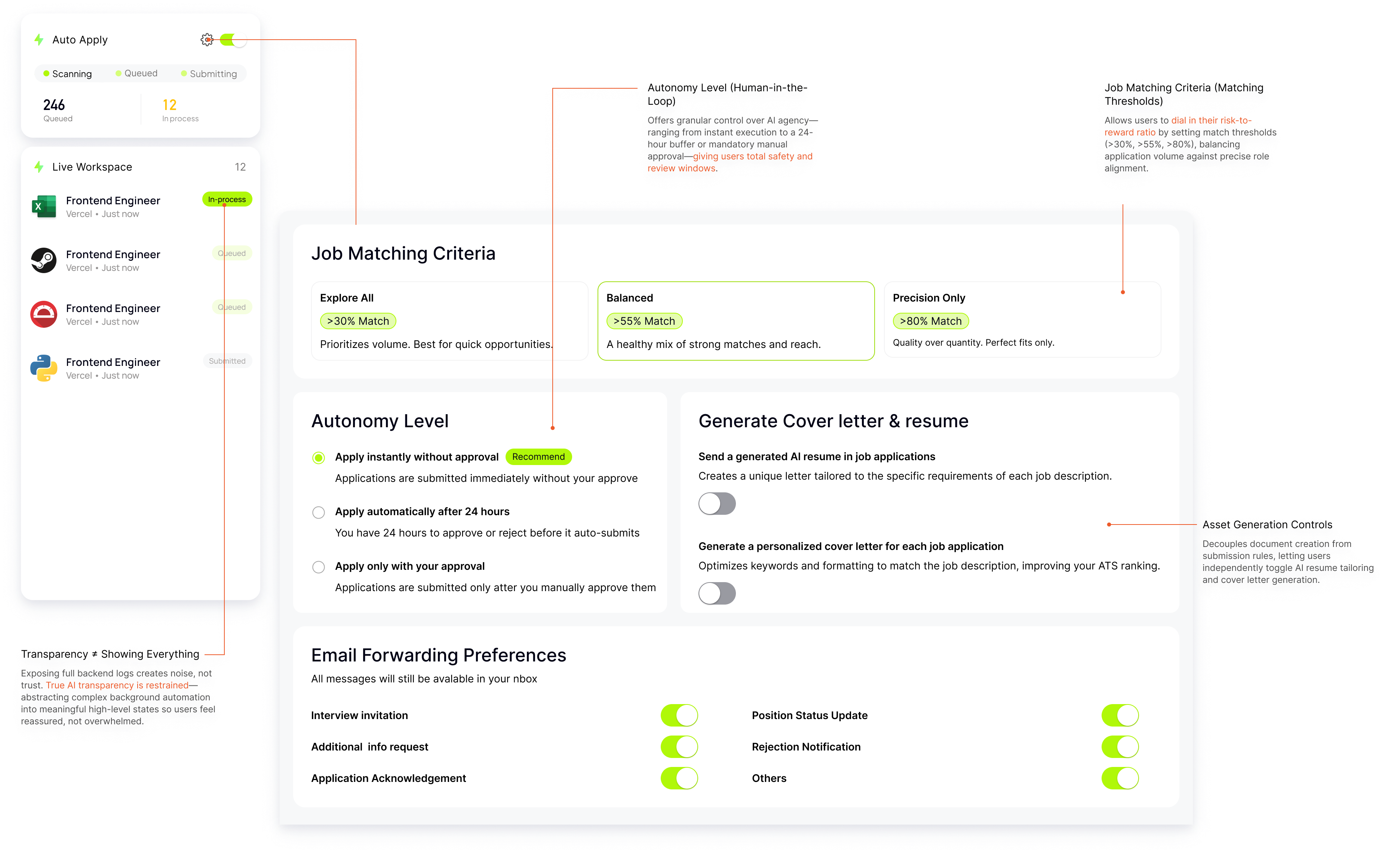
Applying on someone’s behalf is the highest-stakes step. AI only acts inside boundaries the user has already set.
The first spec was an on/off switch. It broke once login expiry, queues, and retries needed named states. We kept the switch and wrapped it in matching strategy, autonomy, materials, and notifications.
Before
Users define where AI may act: match threshold, job preferences, resume choice, and notification rules.
During
AI continues only when conditions are satisfied; exceptions require approval.
After
Every action remains visible and recoverable.

84%
Good Match

Your application was automatically submitted.
84%
Good Match
Your application was automatically submitted.
Trust is earned
We wanted full autonomy. Users never want to be out of control.
We gave transparency and control first, so trust could build. Autonomy is what users grant after that, not something they hand over up front.
Day one
37%
turned on Apply without approval from the start
Within a week
82%
had moved to Apply without approval
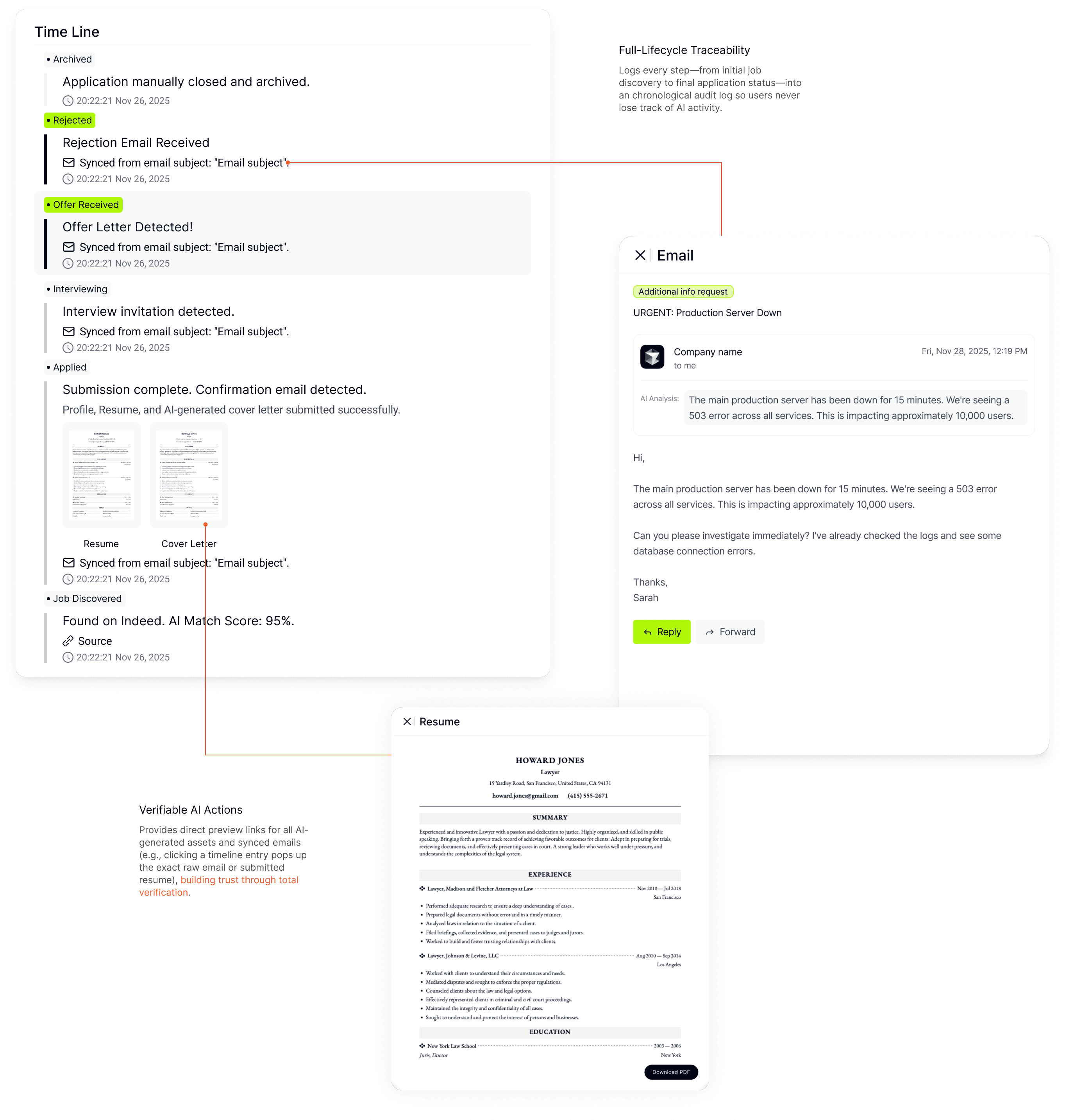
08 / Every action leaves a trace
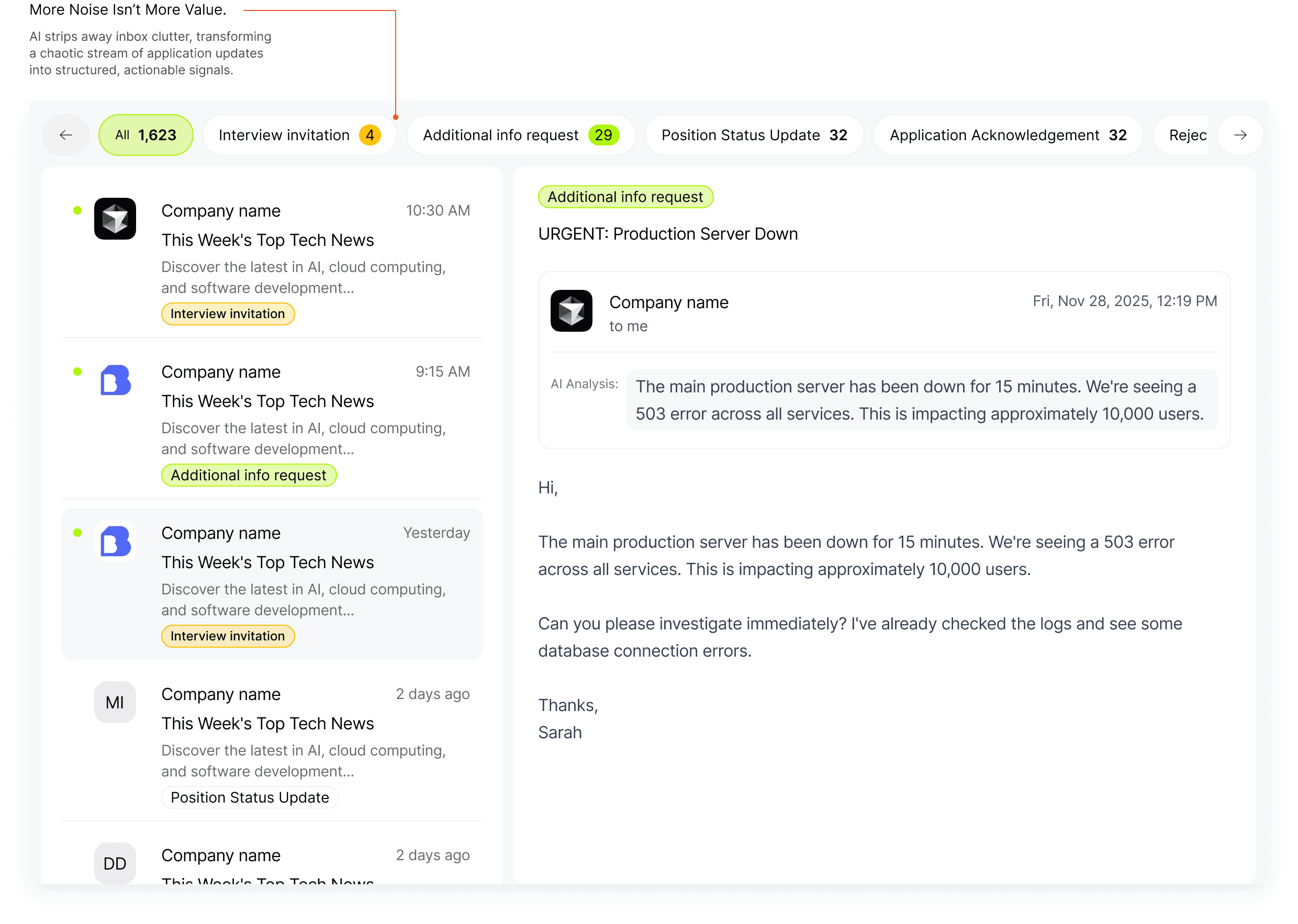
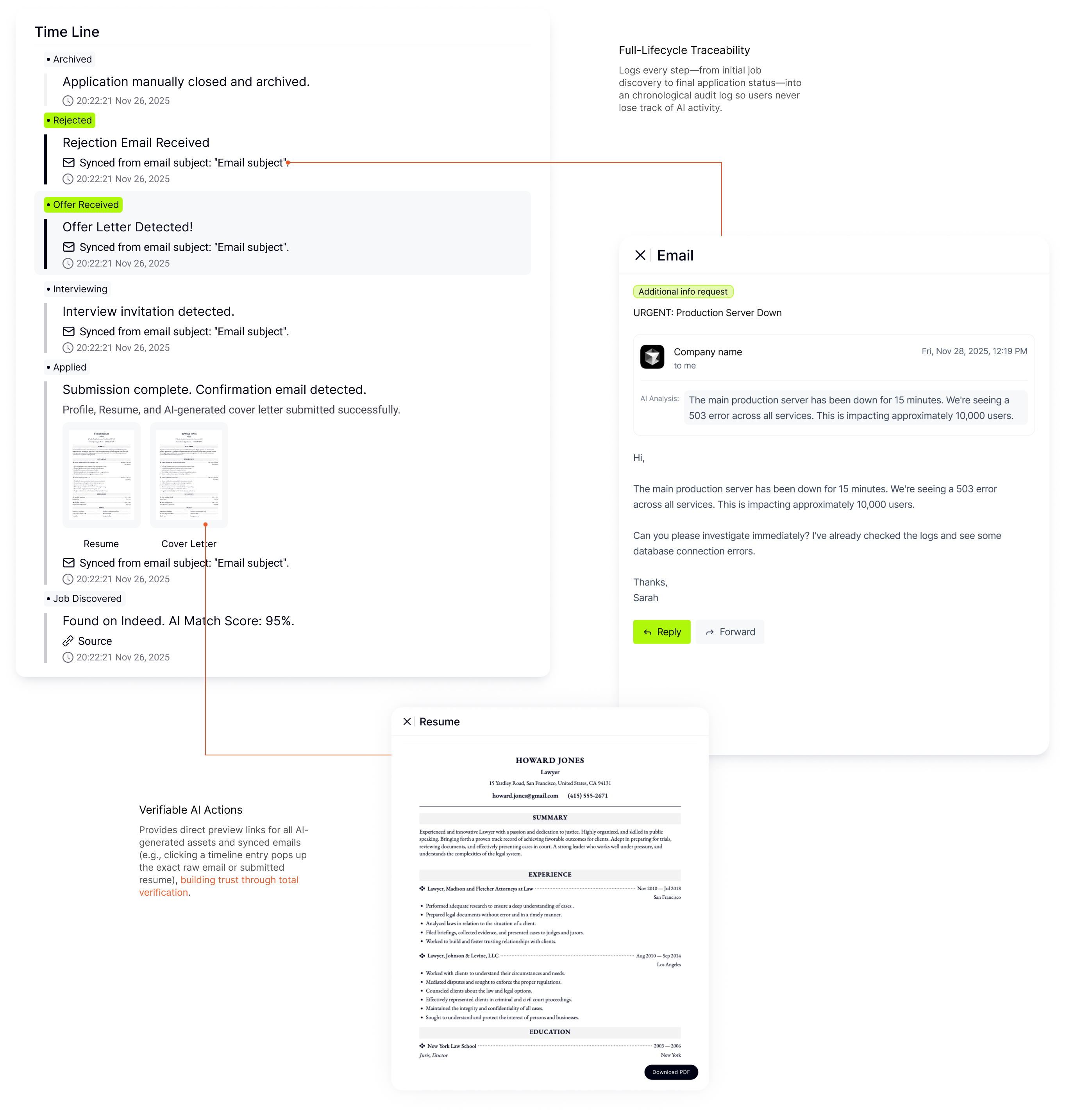
The loop is not complete at submission. Users still need to see what happened, what is happening, and what needs their attention next.
01
What happened and what materials were submitted.
02
What is happening now across applications and recruiter responses.
03
What requires user review, correction, or follow-up next.
09 / From screens to product rules
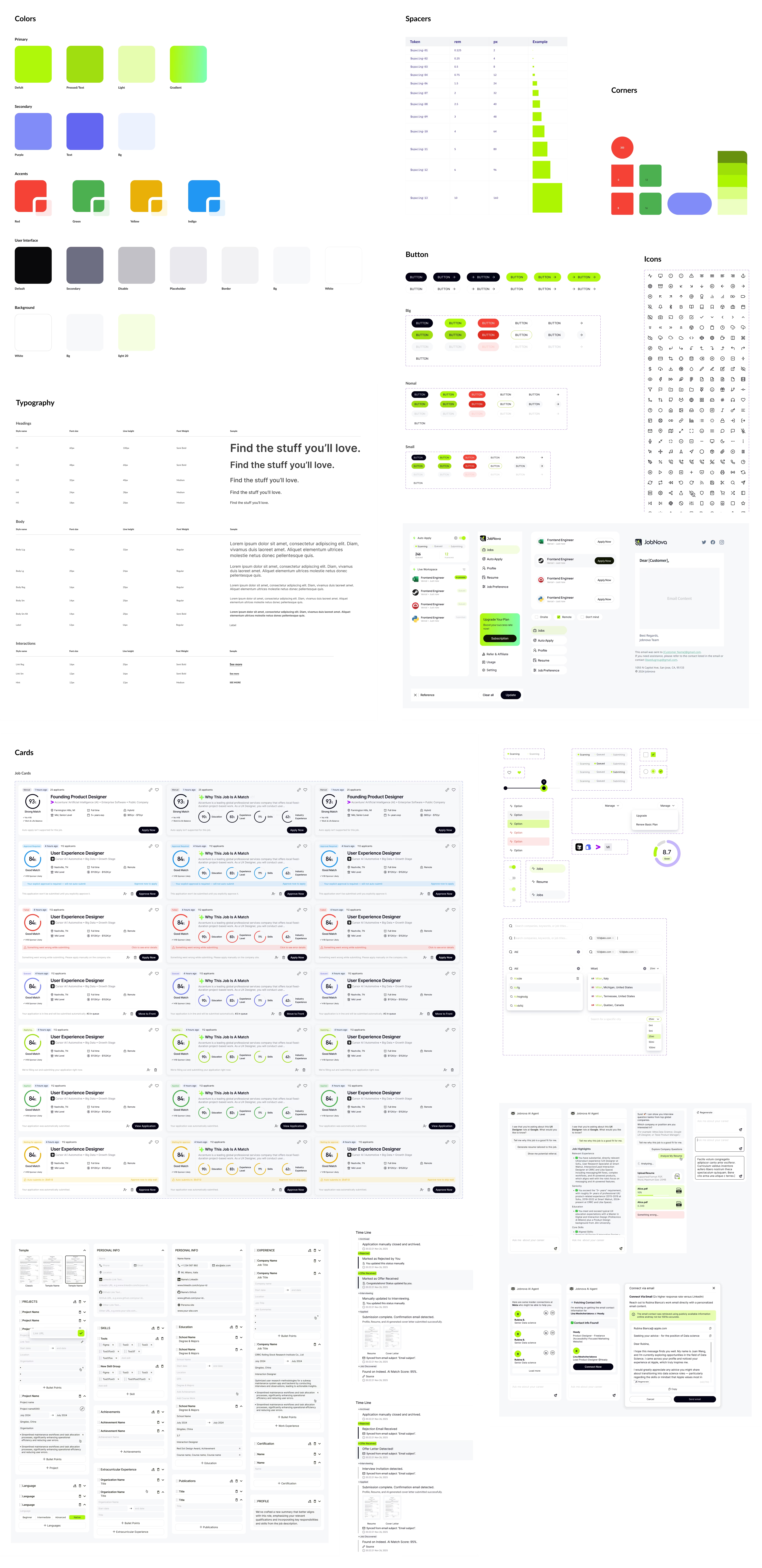
I translated the trust model into reusable states, components, and interaction rules so Match, Customize, Apply, and Track behaved consistently.
10 / Results, debt, and learnings
Launch numbers show activation and execution. They do not, by themselves, prove that users trusted Auto Apply.
Activation
68.06%
Adoption
19.39%
Reliability
88.21%
Speed
1.03 hrs
Outcome
10.77%
Submission success and interview rate sit downstream. These two numbers can still move by making setup easier to finish.
01
68.06% finished resume upload and job preferences (179 of 263). That is a setup experience, not an execution metric. Shortening and clarifying onboarding is how this number moves.
02
19.39% enabled Auto Apply (51 of 263). Among those who finished onboarding, 28.5%. Auto Apply setup is still too long. Reducing that friction is how this number moves.
01
Trust starts with understanding.
02
Users decide where AI can act.
03
Automation needs history, recovery, and accountability.