Mono
A personal finance agent built on the A2UI protocol, turning natural language into deterministic financial interface views.
About Mono
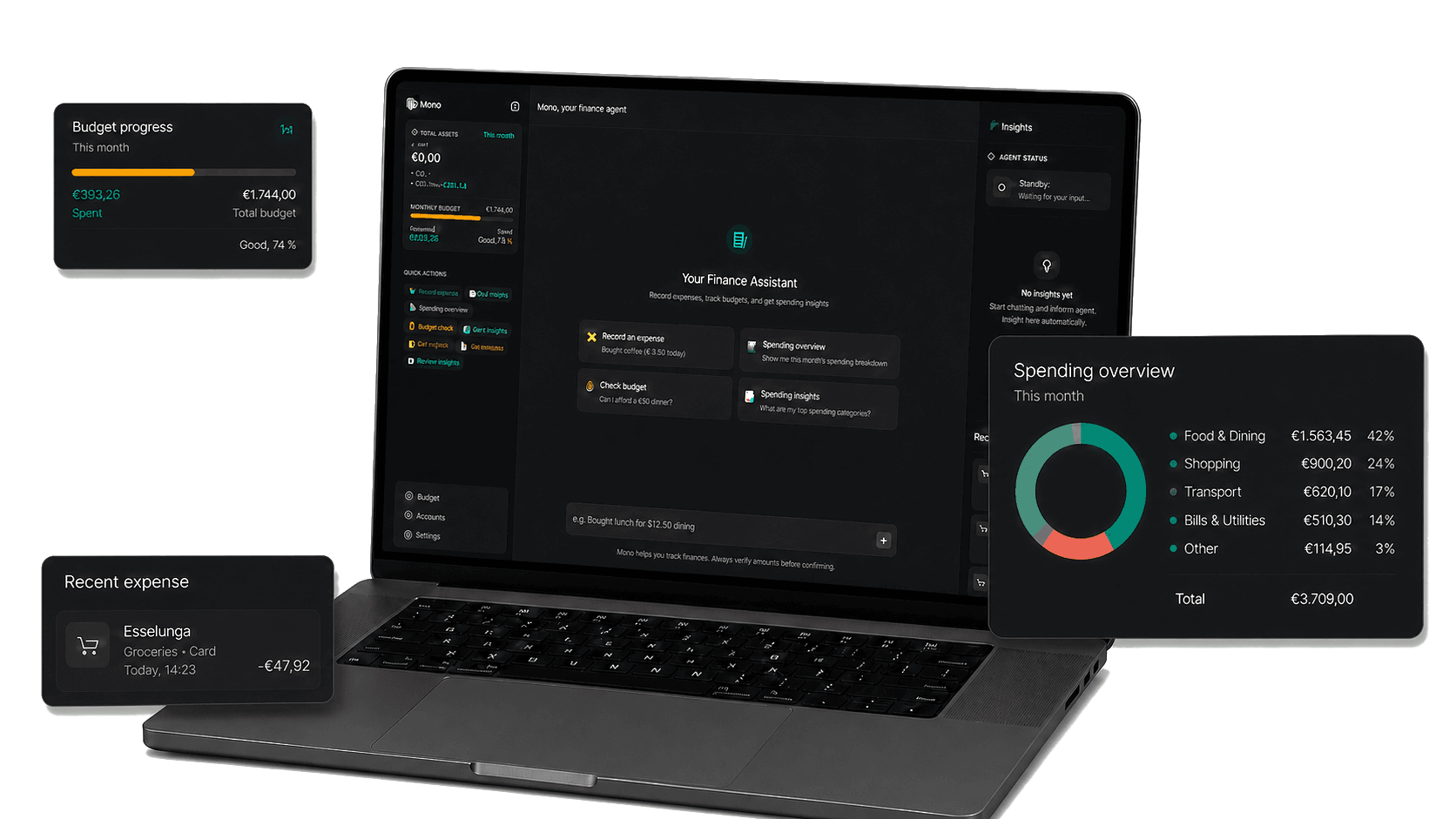
Mono bridges LLM intent and deterministic UI output. Instead of returning only text, it renders contextual financial cards, charts, and forms that match the user's request, making conversational finance feel actionable and inspectable.
View live siteRole
Product Designer,
AI Architect
Team
Solo product designer
Tool
Figma,
React,
A2UI protocol
Company
River Studio
Year
2026
The Design Problem
Most personal finance tools put the interface first — you learn the dashboard, then find your answer. Mono inverts this: you say what you need, the system decides what to render.
That shift — from navigating UI to expressing intent — creates a hard design constraint. The LLM output is probabilistic; the rendered UI must not be. Three decisions resolved this tension.
Three Design Decisions
Every render must be predictable
Instead of generating code, the LLM emits a structured JSON spec. A Zod validation layer catches schema violations before they reach the UI — every render is predictable by contract, not by luck.
Components are the answer, not generated layouts
Financial data needs structure, not improvisation. A fixed component registry — budget gauge, spending chart, transaction list — ensures every response is a purposefully designed view, not a layout invented on the fly. Each JSON type maps to exactly one component.
Intent must be resolved before UI is chosen
Ambiguous queries pass through a CoT reasoning step that classifies intent before any component is selected. The "internal monologue" streams to the client in real-time — giving users immediate feedback while the final JSON spec is computed.
Designing the Conversation–UI Balance
The hardest UX question in Mono wasn't technical — it was compositional: when should the AI respond with a message, and when should it render a component? Text is flexible but forgettable. UI is scannable but can feel over-engineered for a simple answer. Mono explores the boundary between the two.
You spent $568.70 this week — up 18% from last week. Dining accounted for 43% of total spend.
↓ SpendingRecordsLog by talking
A single natural language message — "spent $89 at Whole Foods" — triggers an AI-prefilled confirmation form. The conversation handles the input; the UI handles the review and commit. Neither has to do the other's job.
Query, get UI
Financial data is inherently visual. When a user asks "how's my budget?", a rendered gauge answers more precisely than a sentence ever could. Mono never replies with text when a component communicates better.
Summarize with both
For recaps and insights, text and UI coexist — each playing a different role. The AI writes the narrative; the component holds the data. Together they answer "what happened" and "show me the numbers" in a single response.
A pure chat UI feels lightweight but loses structure. A pure dashboard is powerful but imposes cognitive overhead. Mono's hypothesis: conversation is the input layer; components are the output layer — and the boundary between them should be invisible to the user.
System Architecture: The A2UI Engine
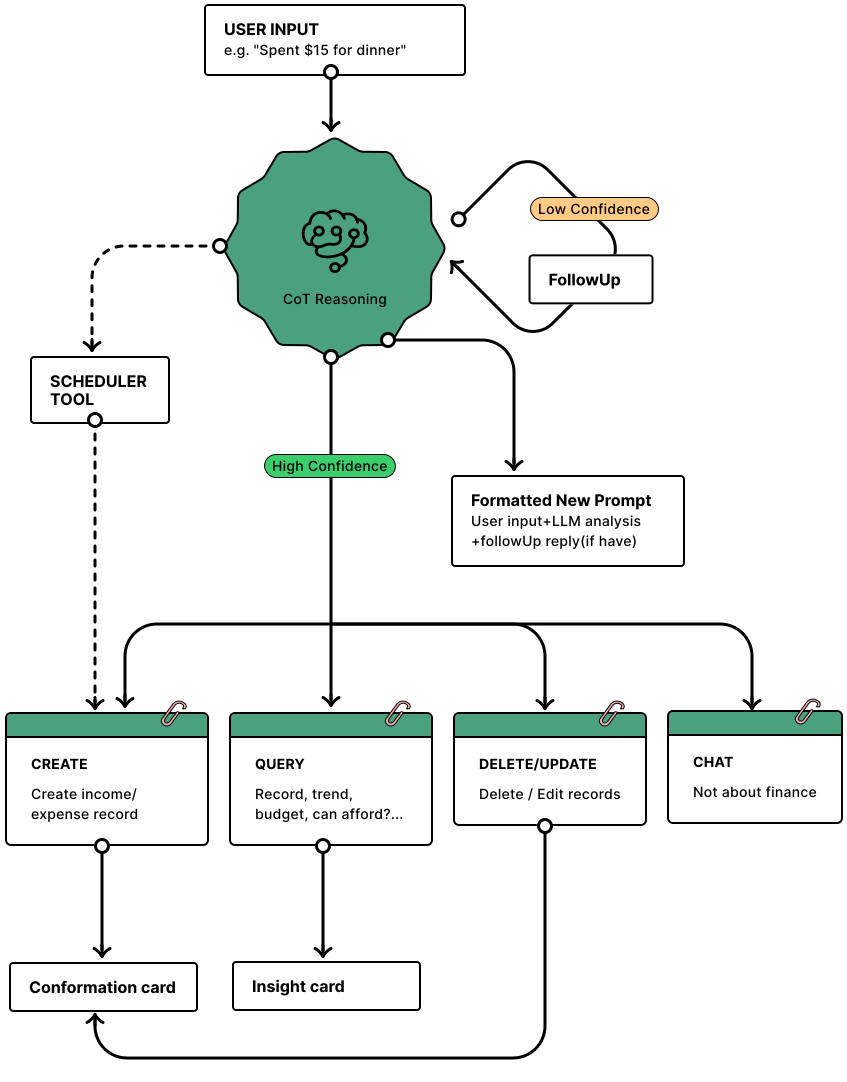
Every user input passes through a CoT reasoning engine before anything is rendered. The LLM doesn't guess — it scores its own confidence, asks a follow-up if needed, and only routes to a component once intent is unambiguous. Three mechanisms make this reliable.
1. Thought Trace & Intent Routing
The CoT reasoning step produces a confidence score. If confidence is low — the query is ambiguous or underspecified — Mono asks a targeted follow-up before proceeding. Only at high confidence does it assemble a Formatted New Prompt (original input + LLM analysis + any follow-up reply) and route to one of four intent handlers.
Flow:
Input → CoT Reasoning → Confidence Gate → [Low: FollowUp → repeat | High: Formatted New Prompt] → Route: CREATE / QUERY / DELETE·UPDATE / CHAT
UX rationale:
The FollowUp loop is a UX decision, not just a technical safeguard. A wrong component rendered confidently is worse than a clarifying question. The reasoning trace also streams to the client — users see the thinking in progress while the final spec is computed.
2. Predictive Lifecycle Scheduling
Scheduling intent is detected during CoT reasoning — before the confidence gate. When the LLM recognises a recurring pattern ("every month," "each payday"), it immediately fires the Scheduler Tool as a parallel path, independent of the main intent routing. The cron job then autonomously injects the transaction when the trigger date is met.
Flow:
CoT detects recurring pattern → Scheduler Tool (parallel path) → Cron Job → Auto-inject transaction on trigger date.
Design note:
Bypassing the confidence gate here is intentional — recurring intent is structurally unambiguous. The user said "every month"; no follow-up needed.
3. Adaptive Memory Loop
The feedback loop shown at the base of the diagram closes the system. User edits — correcting a category, adjusting an amount, dismissing a suggestion — are stored as preference signals and injected back into the Formatted New Prompt on every subsequent query. The context gets richer with every interaction.
Flow:
User correction → Preference store → Injected into Formatted New Prompt → Personalized CoT reasoning.
Design note:
This is the layer that turns a generic agent into a personal one. "Trader Joe's" → Groceries, not Food & Dining. The system learns each user's financial vocabulary — so future renders align with their habits, not default assumptions.
From JSON Token to Rendered UI
The render engine is a deterministic factory — it never guesses. The LLM emits a validated JSON spec; each type token maps 1-to-1 to a React component. No code generation, no eval, no surprises.
Components are sealed contracts — the factory only accepts known token types. Adding a new component means extending the registry and the Zod schema simultaneously, which keeps the LLM's output space and the UI surface permanently in sync.
Mono Design Token System
Every visual decision maps to a named token. Token names appear verbatim in both the design spec JSON and the React component library — the spec is the contract.
BudgetGaugeBudget progress — color shifts green → amber → red as spending nears the cap.
73% used
BudgetGauge · Afford"Can I afford $74 at Whole Foods?" — delta bar shows before/after state.
SpendingRecordsDonut breakdown and transaction list — toggle between views.
ConfirmExpenseAI-parsed expense form — pre-fills amount, merchant, category from natural language. User confirms or edits before saving.
InsightCardAI-generated financial observations with expandable charts and tags.
The Result
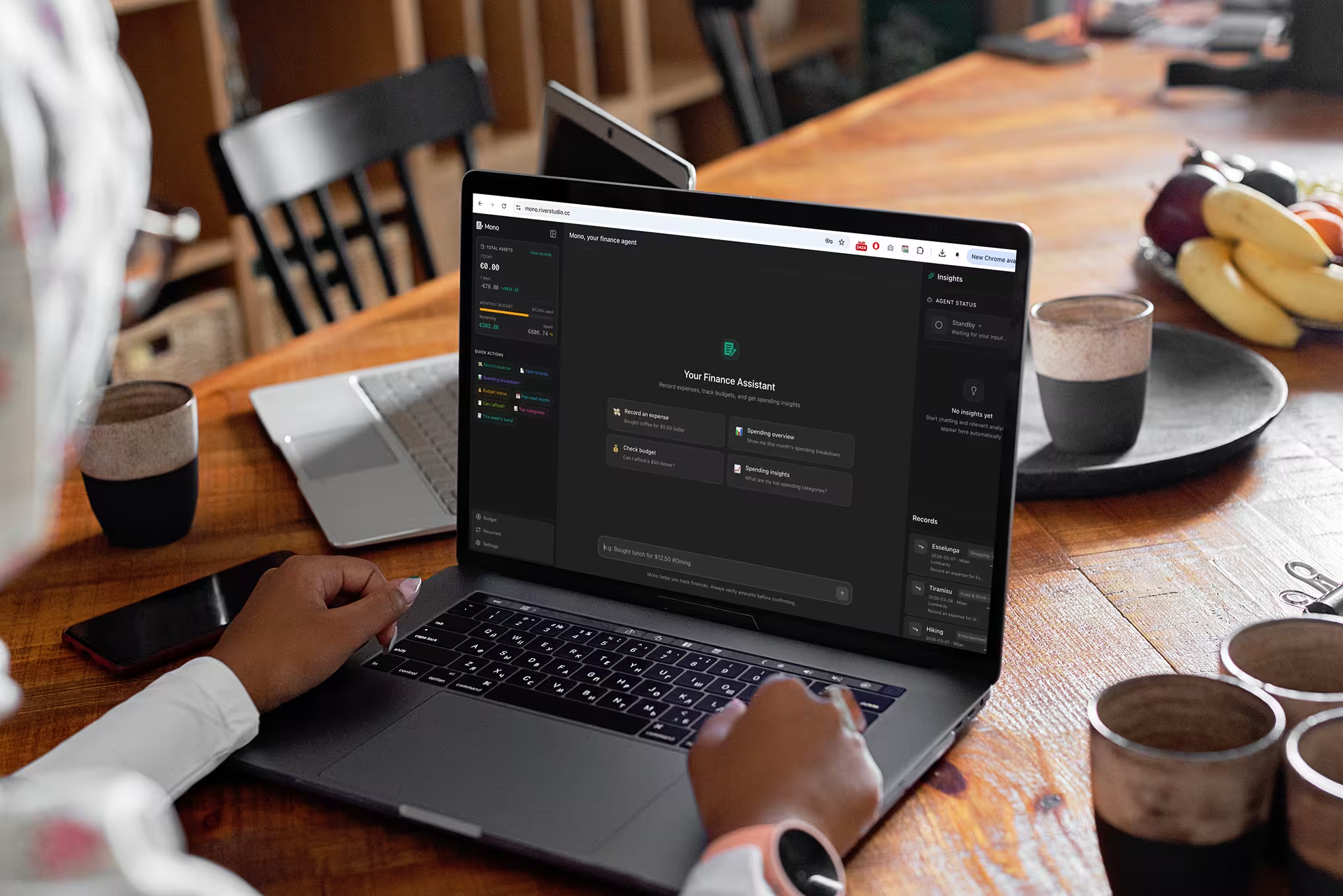
The Mono financial agent brings intent-driven, generative UI to everyday money management. Users get real-time insights and actionable views through natural language, reducing friction and putting financial clarity one question away.
Stable A2UI Execution
A strict A2UI JSON contract turns LLM outputs into a reliable, render-safe UI layer — no code generation, no eval, no hallucinated components.
Intent-Aligned Financial Clarity
Thought trace, memory, and scheduling combine into views that feel built for you — not generated for anyone.