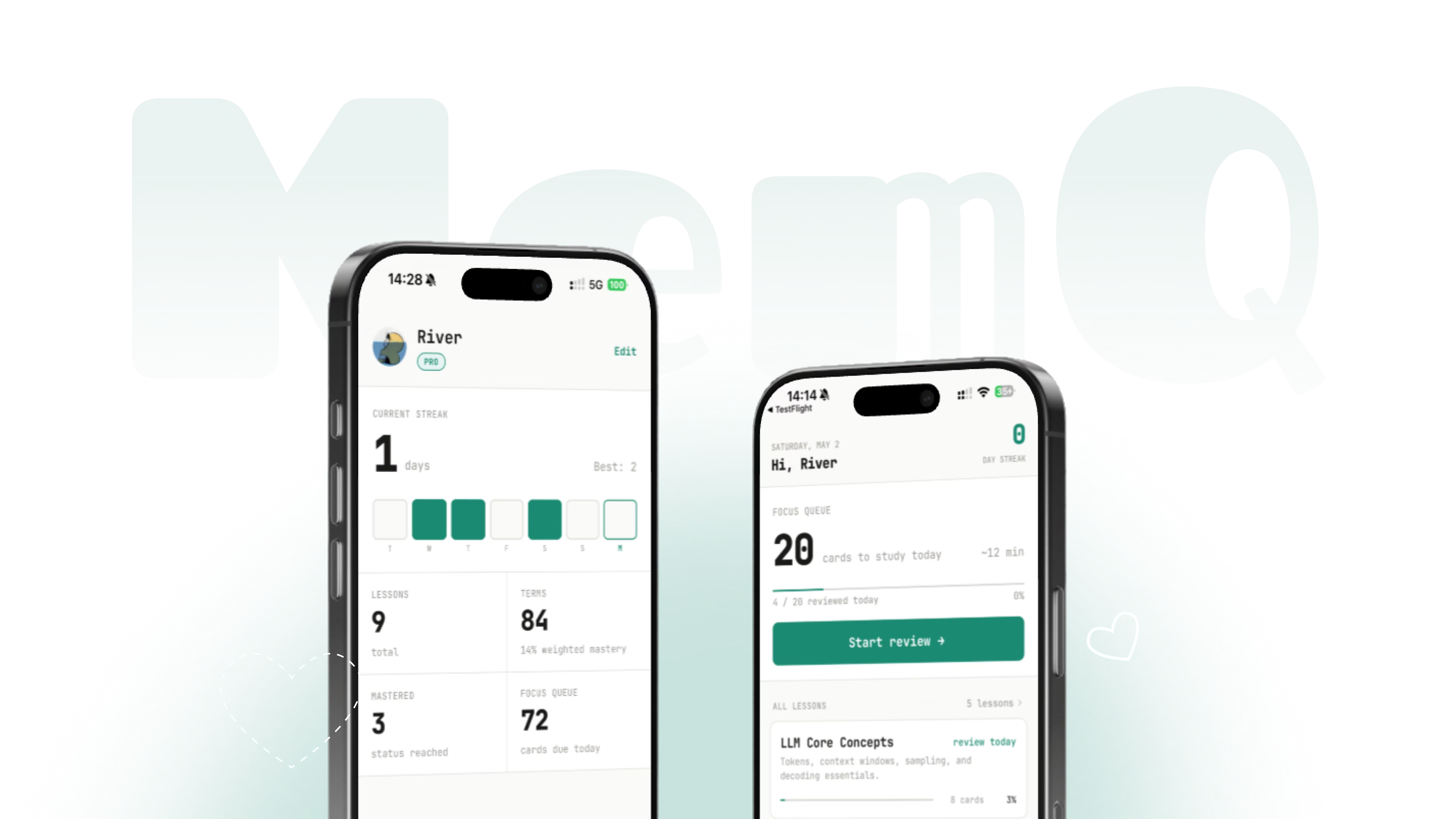
MemQ
An iOS study app that turns AI conversations into lasting knowledge through generated cards and spaced repetition.
About MemQ
MemQ closes the loop between asking AI and actually remembering the answer. I designed, developed, and launched the iOS product end-to-end, translating AI conversations into knowledge cards, review flows, and a personal learning library.
Try MemQRole
Solo Designer,
Full-stack Developer
Team
Independent project
Tool
SwiftUI,
Supabase,
LLM workflow
Company
Self-initiated
Year
2026 · launched
People ask AI the same question five times — not from laziness, but because there's no bridge between “I got an answer” and “I actually know this.” The knowledge stays in the chat window, never in their head.
AI as a Crutch
Users ask AI the same questions repeatedly because the answer never gets internalized — it stays in the chat window, not in their head.
Capture Friction
Manually creating study cards from AI answers is too tedious — users never bridge the gap between getting an answer and learning it.
Knowledge Fades
Even when users save notes, there's no system to resurface them at the right time — knowledge decays without spaced repetition.
From Observation to Shipped Product
8 weeks, one person, two major rounds of testing. Here's how the product evolved from a single observation into a shipped app.
8 interviews across students, professionals, and language learners. Key observation: they keep asking AI the same questions.
The problem isn't AI quality — it's that nothing bridges "got an answer" and "actually know this." People need a retention layer.
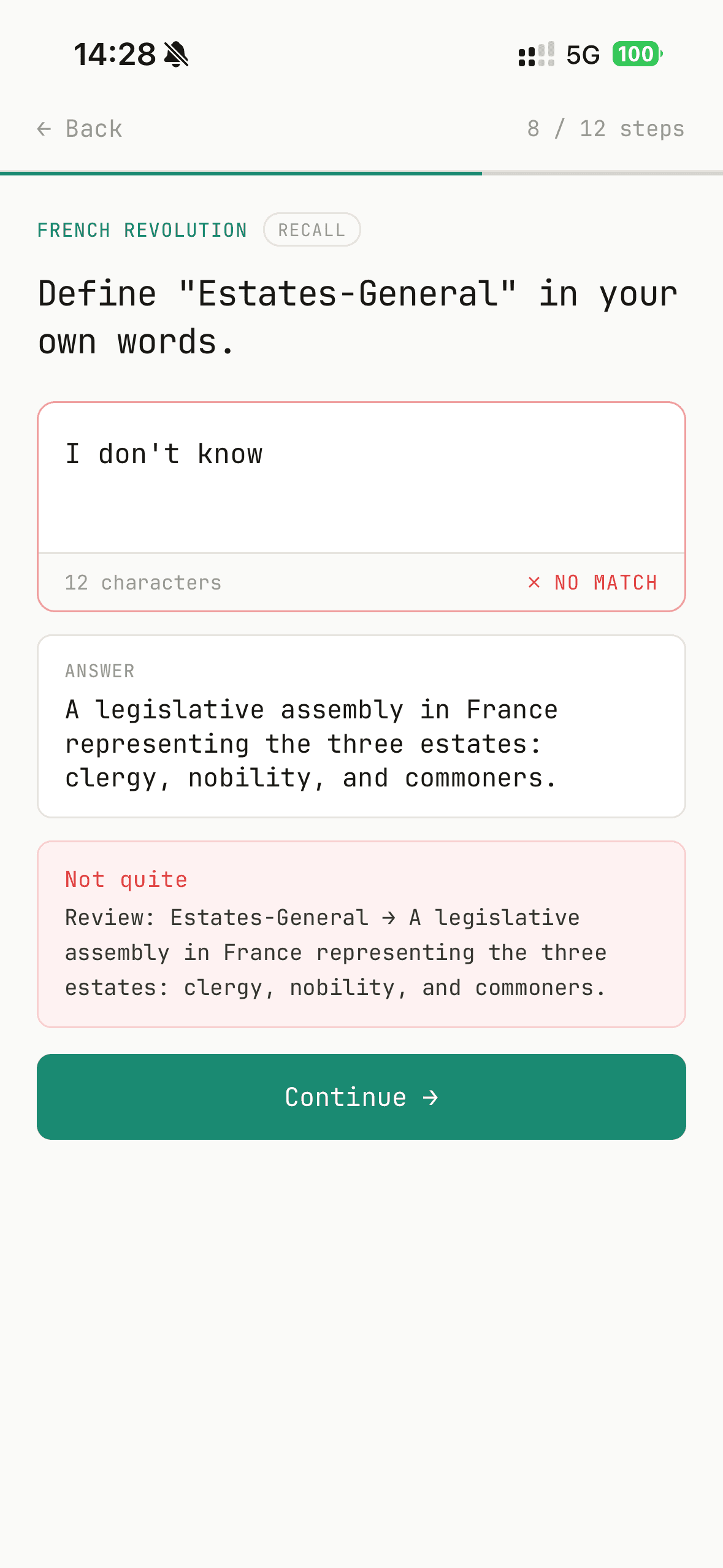
Designed and shipped the core loop: AI card generation + spaced repetition engine. Cut everything else to validate the fundamentals.
6 sessions. Found: card creation was the drop-off point. AI generation redesigned as the primary path. Manual entry became secondary.
Explore, smarter lesson creation, and Assistant upgrades — Quiz me with lesson pickers plus one-tap "new lesson" from generated terms. Feature questions replaced basic how-tos.
I ask ChatGPT the same questions about Python syntax at least once a week. I just can't seem to make it stick.
— Working professional, software adjacentI take notes when I'm studying but I never go back to them. I just search for it again next time I need it.
— University student, exam prepI use Anki but making the cards takes longer than actually learning. So I just don't make them.
— Language learner, JapaneseThe Learning Loop
Every part of MemQ serves one workflow. Only the knowledge you personally asked about ever enters it.
Ask AI
Type a question, topic, or concept you want to learn. No templates — just ask naturally.
Generate Cards
AI creates structured knowledge cards — vocabulary gets definitions, concepts get "Why" and "How" questions.
Spaced Repetition
The memory curve resurfaces cards at optimal intervals. Review sessions take minutes, not hours.
Master It
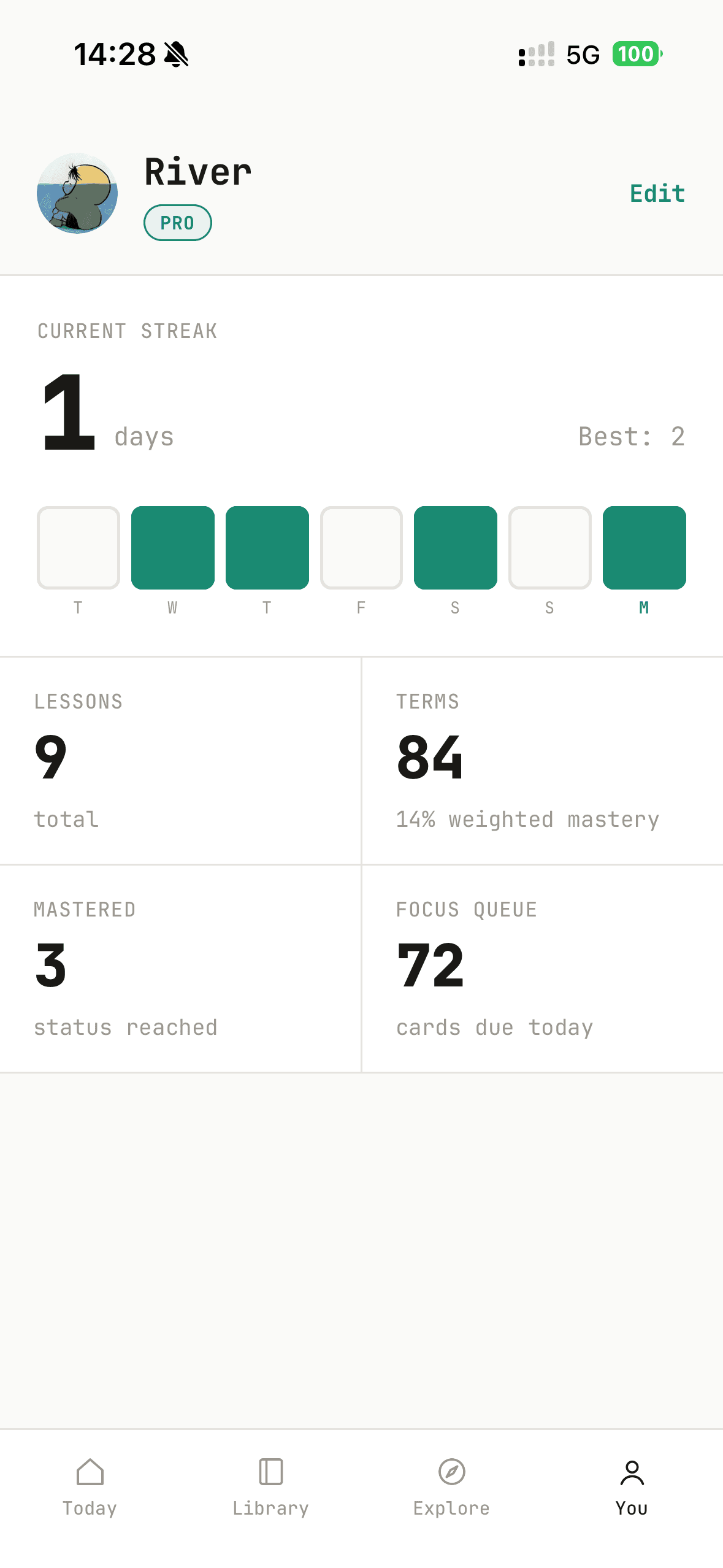
Knowledge moves from short-term recall to long-term retention. You stop asking AI — because you already know.
Ship the Core Loop
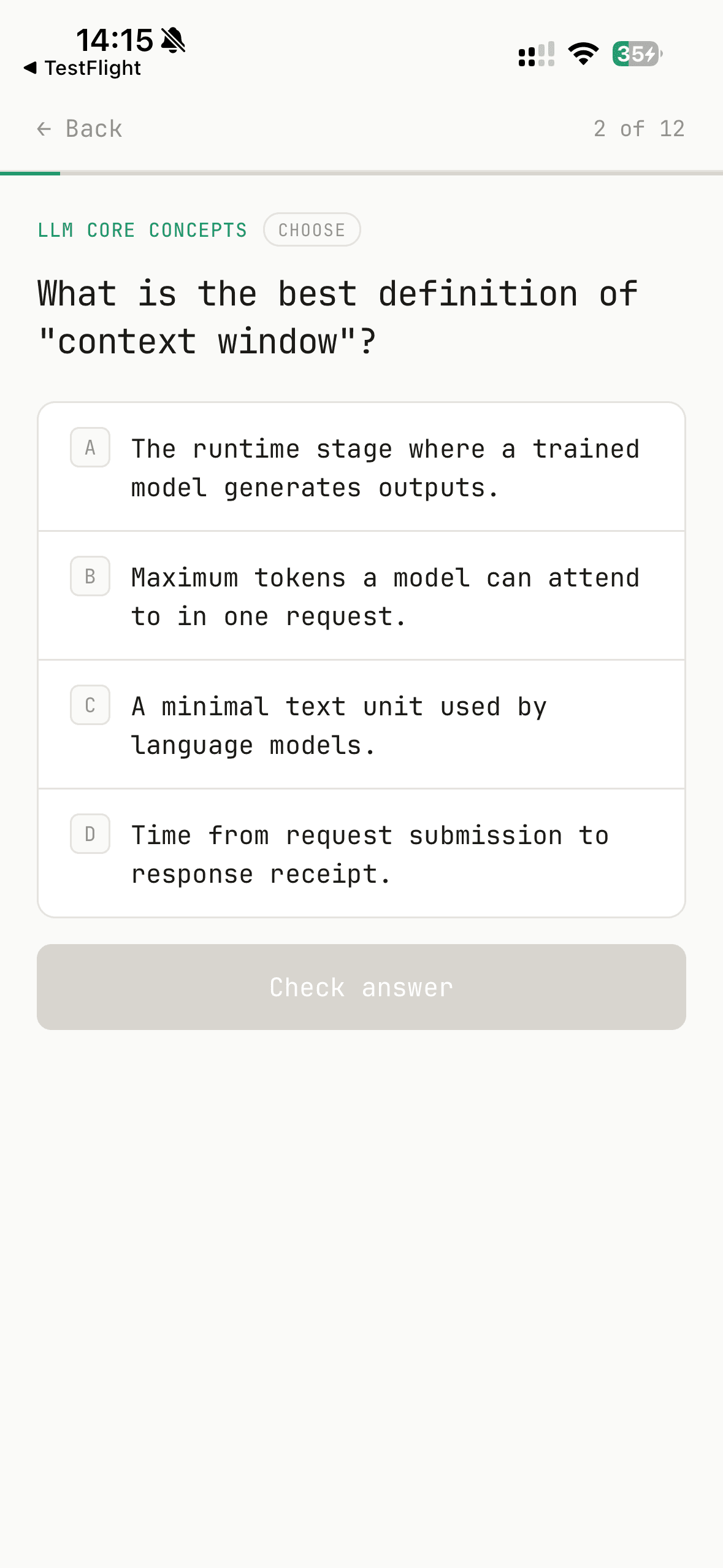
The MVP was built to validate one thing: can we make the jump from “I asked AI” to “I actually learned this” feel effortless? Instead of making users build flashcard decks manually, MemQ lets you type a question or topic, and the AI generates structured knowledge cards ready to study.
The spaced repetition engine does the rest — surfacing cards at the right intervals so knowledge moves from short-term recall to long-term retention. Every card in your library is something you wanted to learn.
AI Card Generation — Type a topic or question, get structured knowledge cards instantly.
Context-aware Formatting — Vocabulary gets definitions and examples; concepts get "Why" and "How" questions.
Spaced Repetition Engine — The memory curve resurfaces cards at optimal intervals for long-term retention.
Explore Platform, Assistant & Smarter Creation
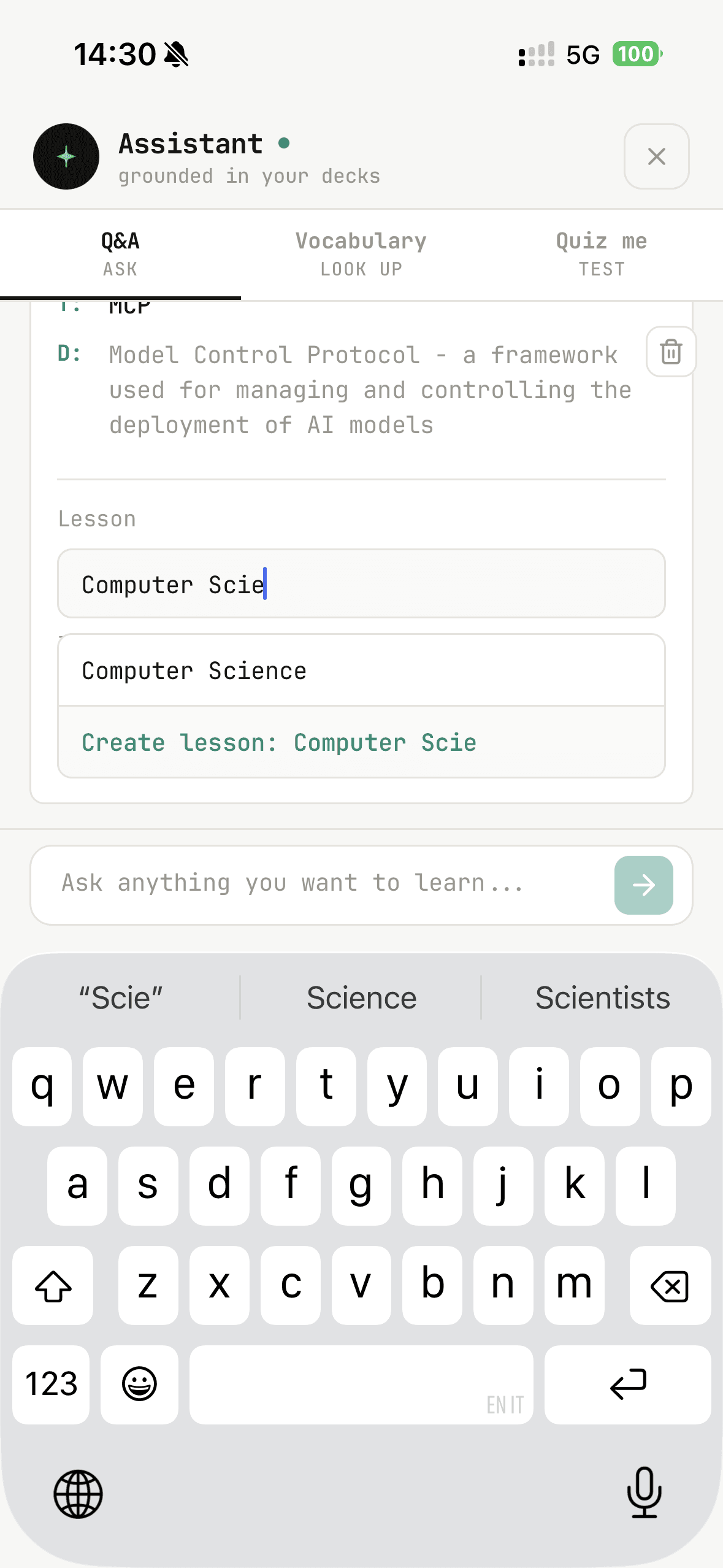
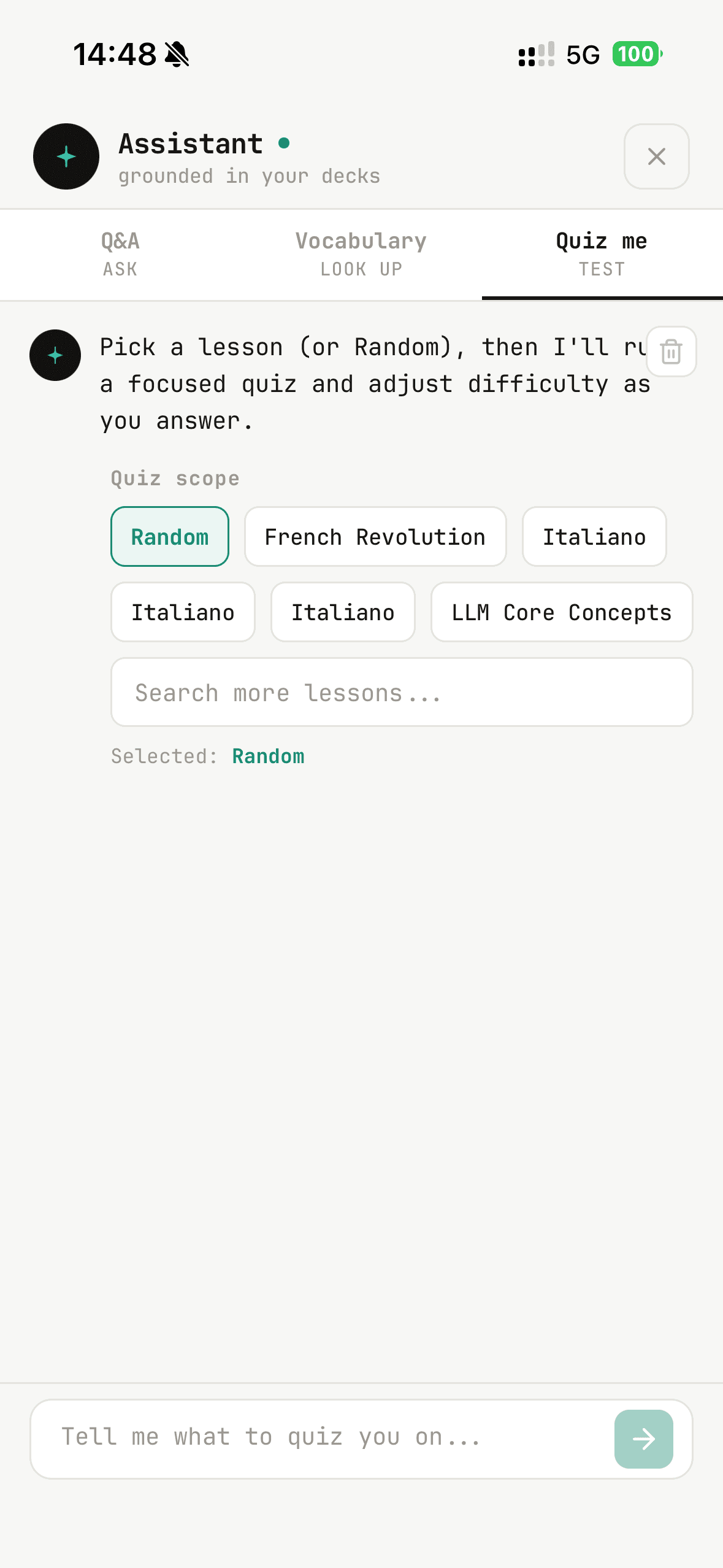
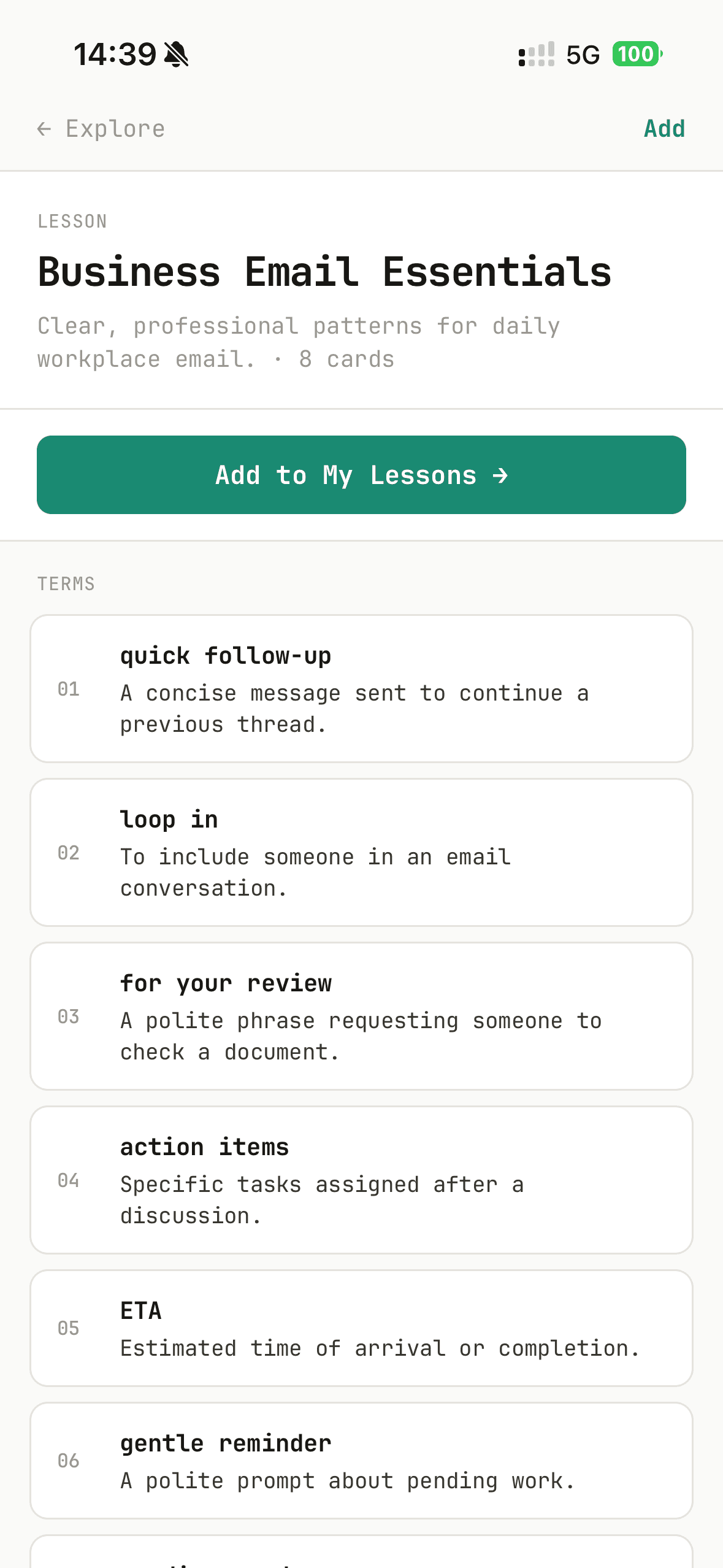
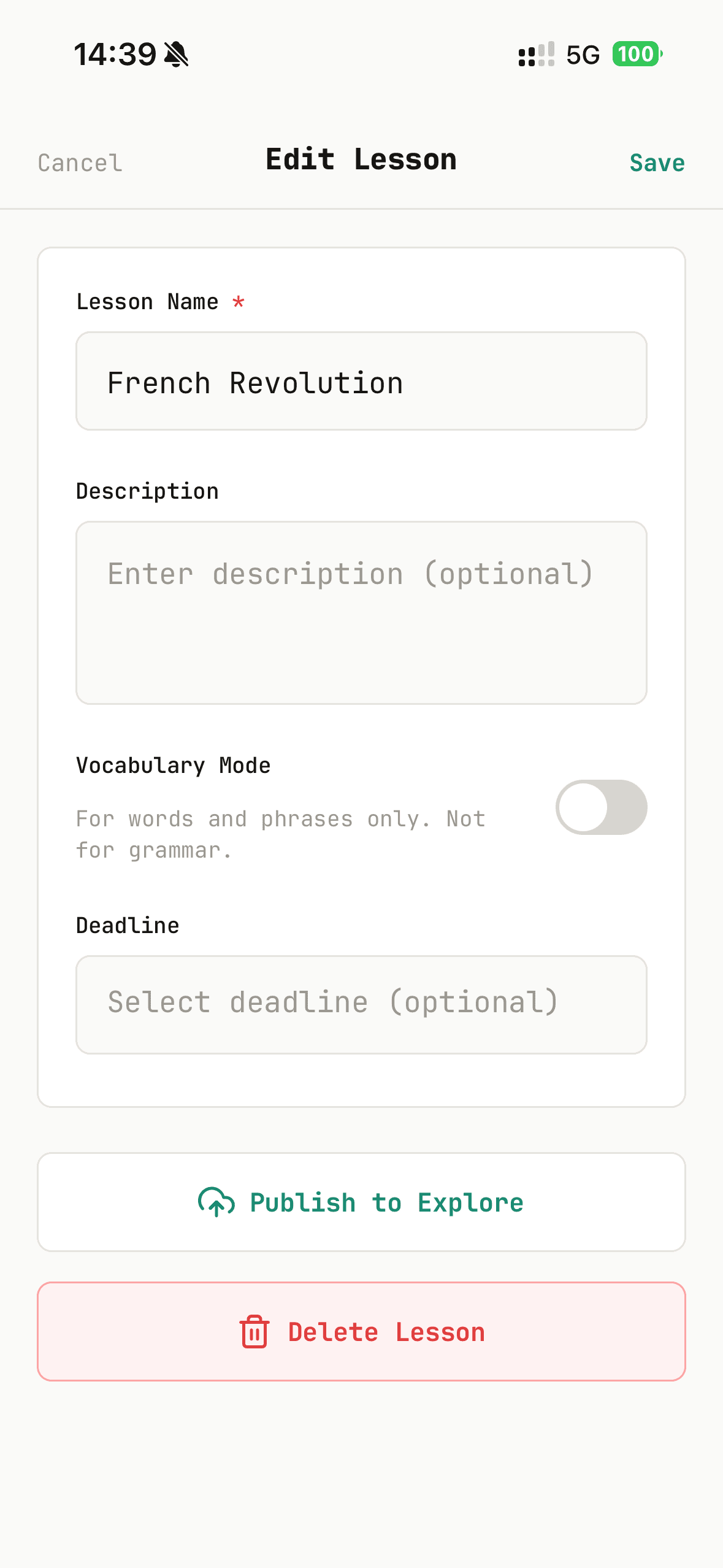
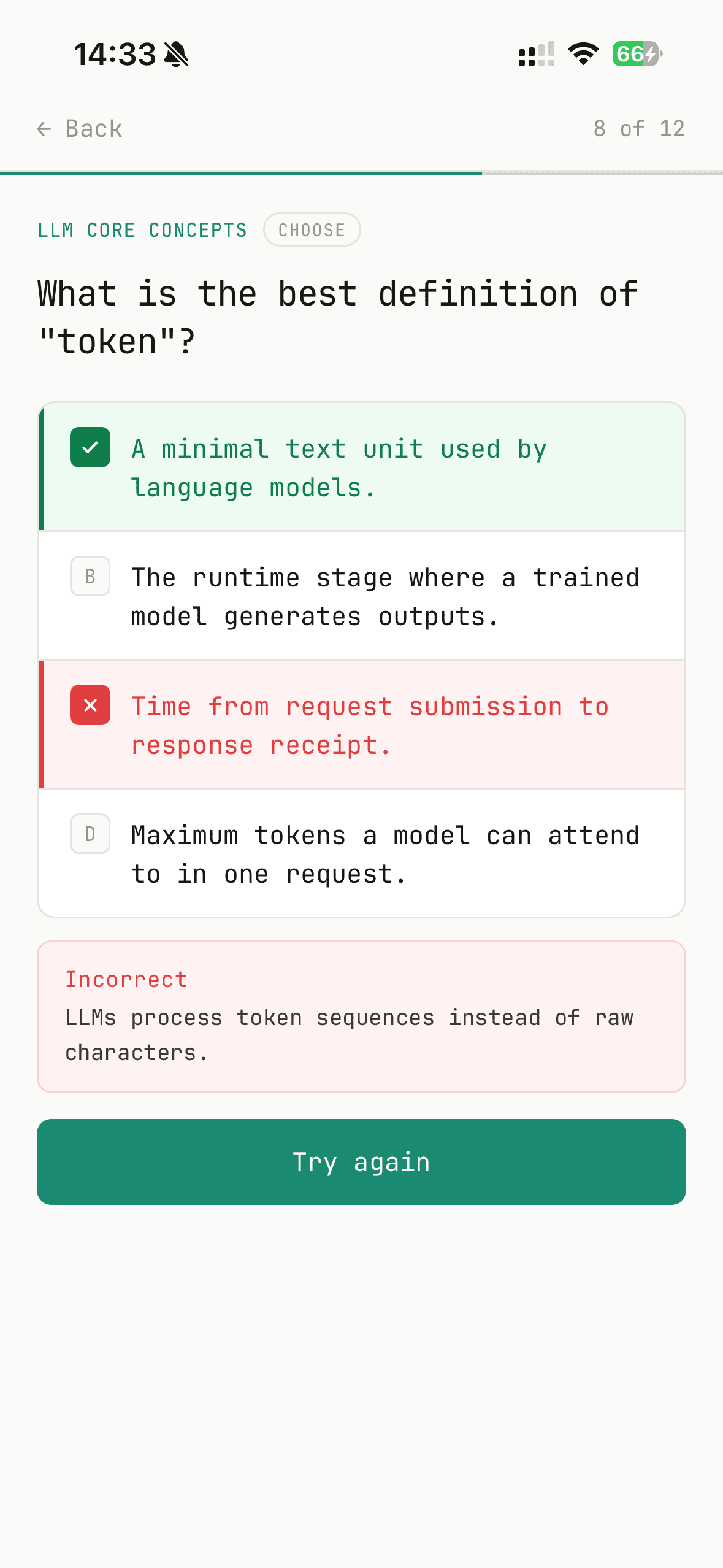
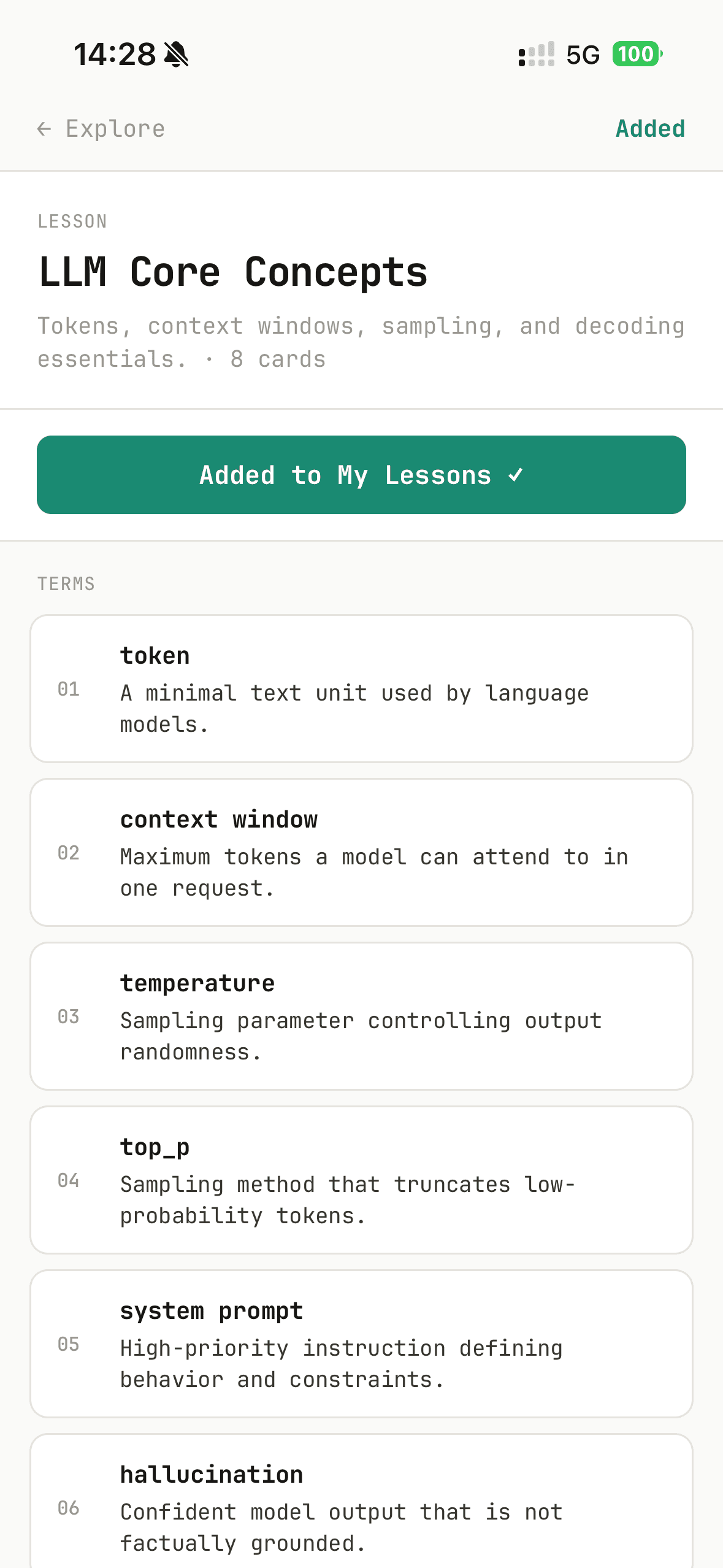
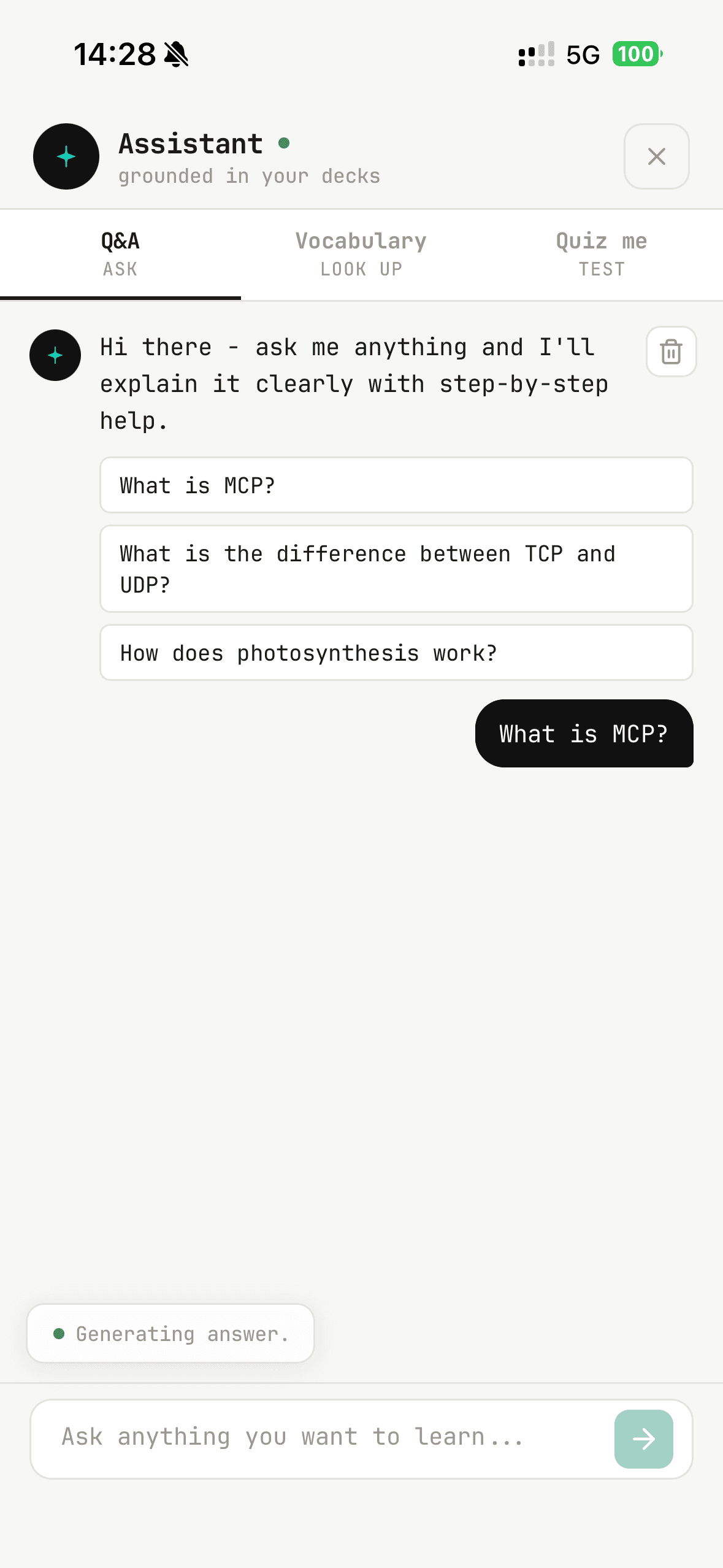
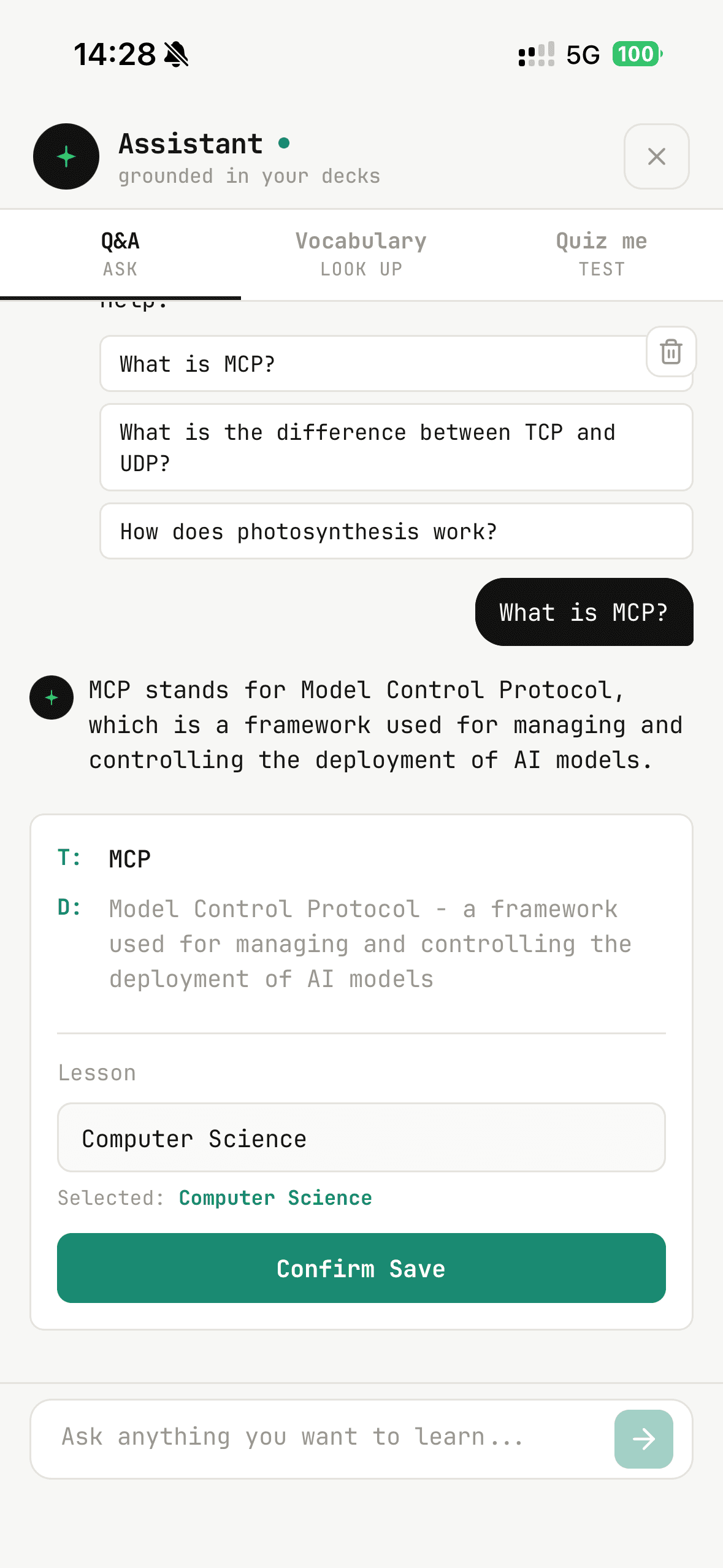
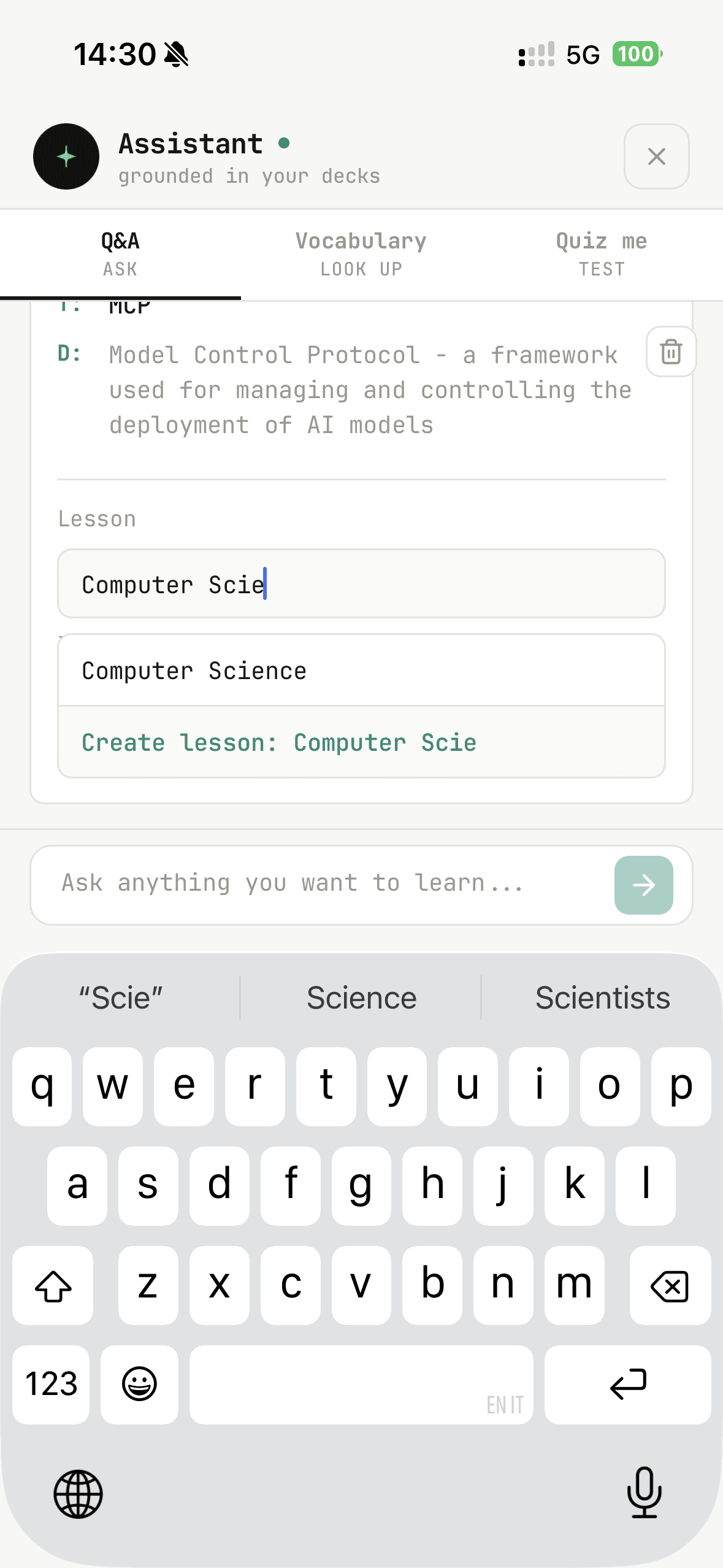
After validating the core loop, Phase 02 layered on a curated Explore experience, a redesigned lesson-creation path, and a stronger AI Assistant — including a new Quiz me mode where learners pick any lesson to practice, plus a direct Create new lesson action when assistant-generated terms deserve their own deck.
Redesigned Lesson Creation
AI Assistant & Quiz me
The assistant stayed grounded in personal decks, but got clearer structure and faster study loops — so asking, saving, and drilling read as one product instead of disconnected experiments.
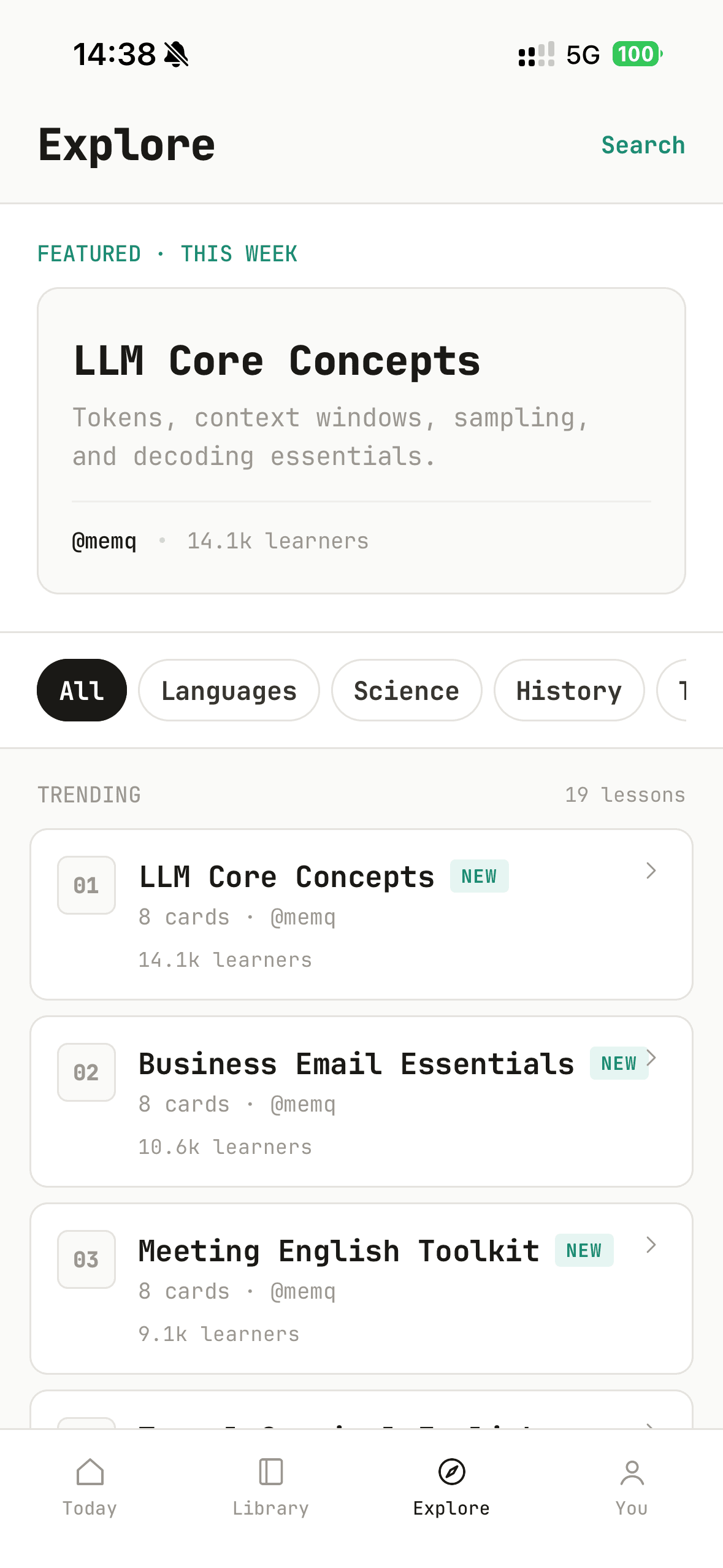
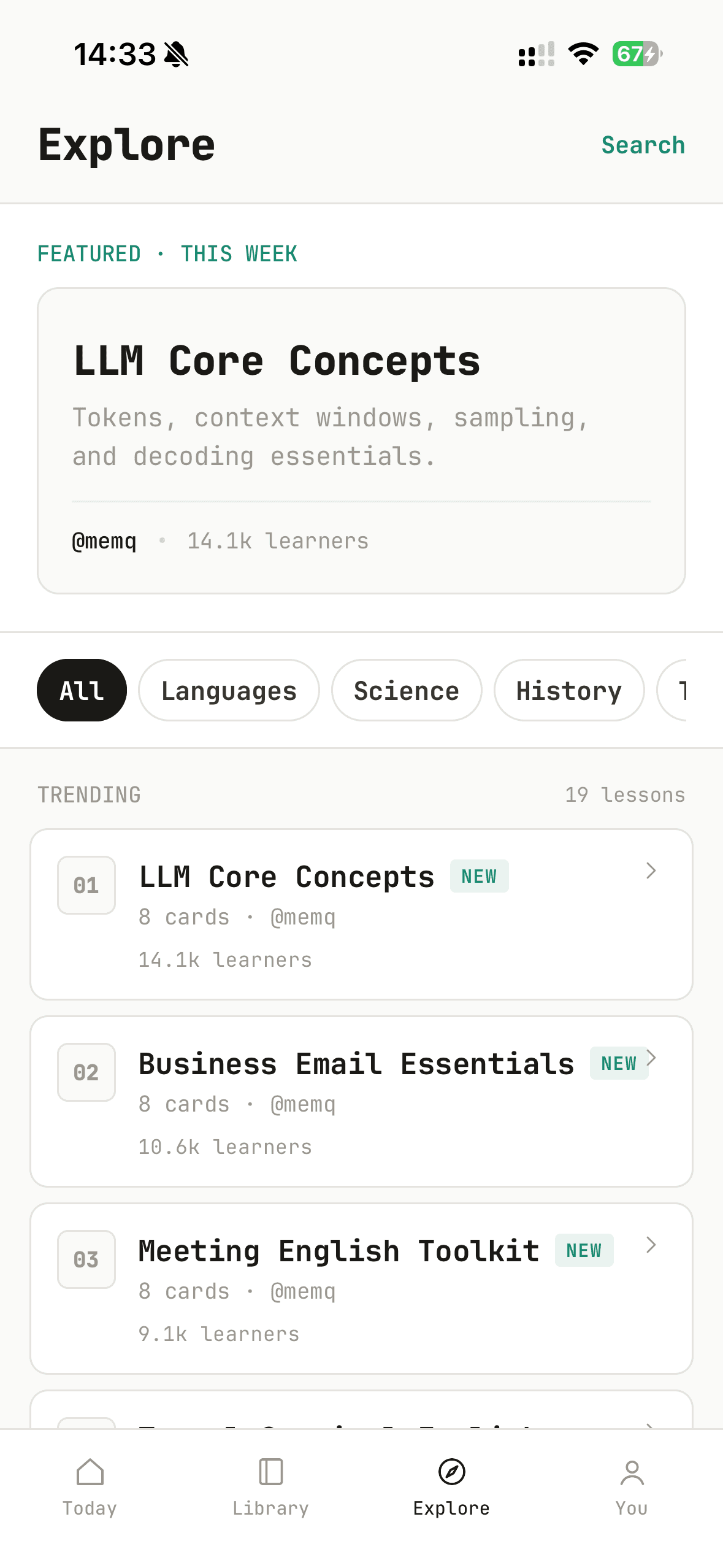
Explore Platform
A curated library of high-quality lessons users can add to their library with one tap. Power users can publish their own lessons for the community — turning MemQ into a shared knowledge network, not just a personal study tool.
Editorial
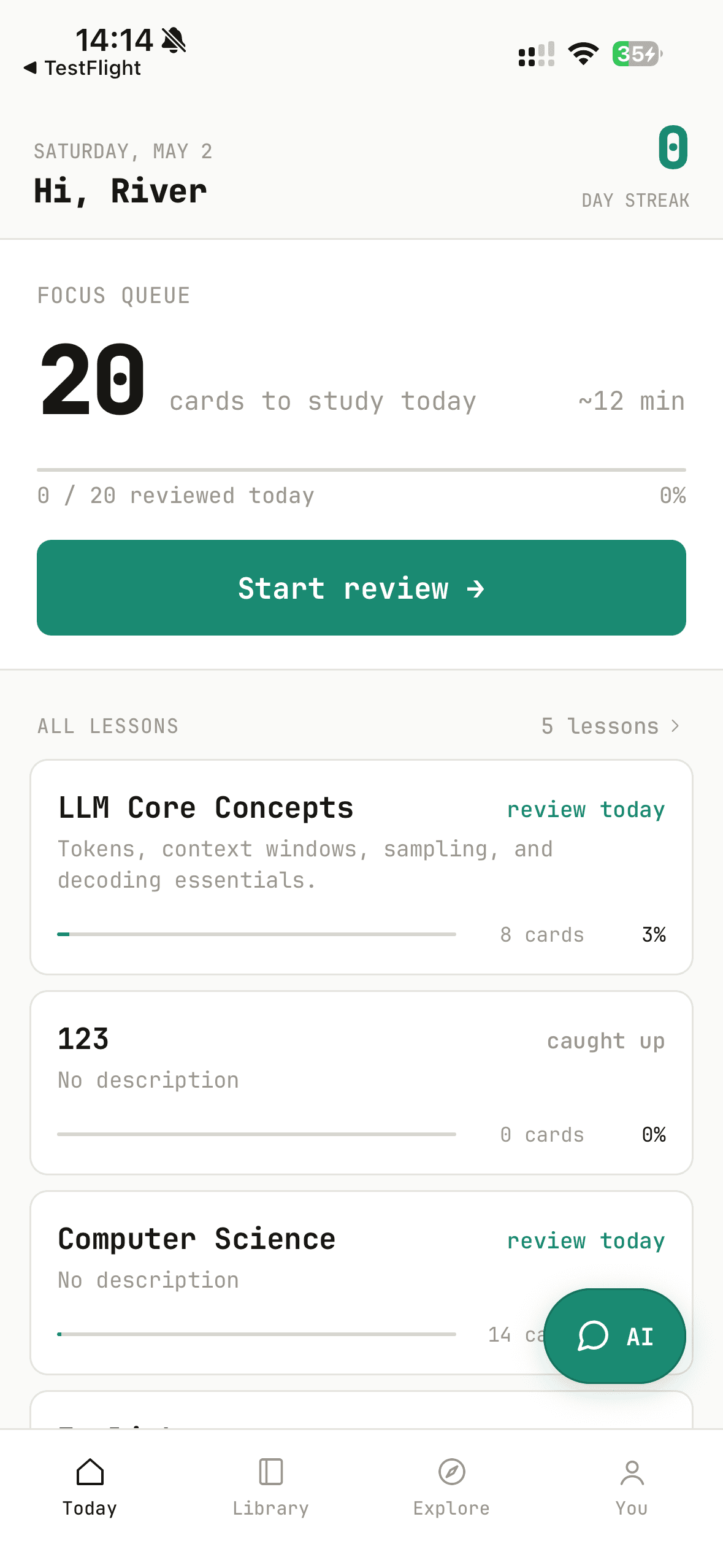
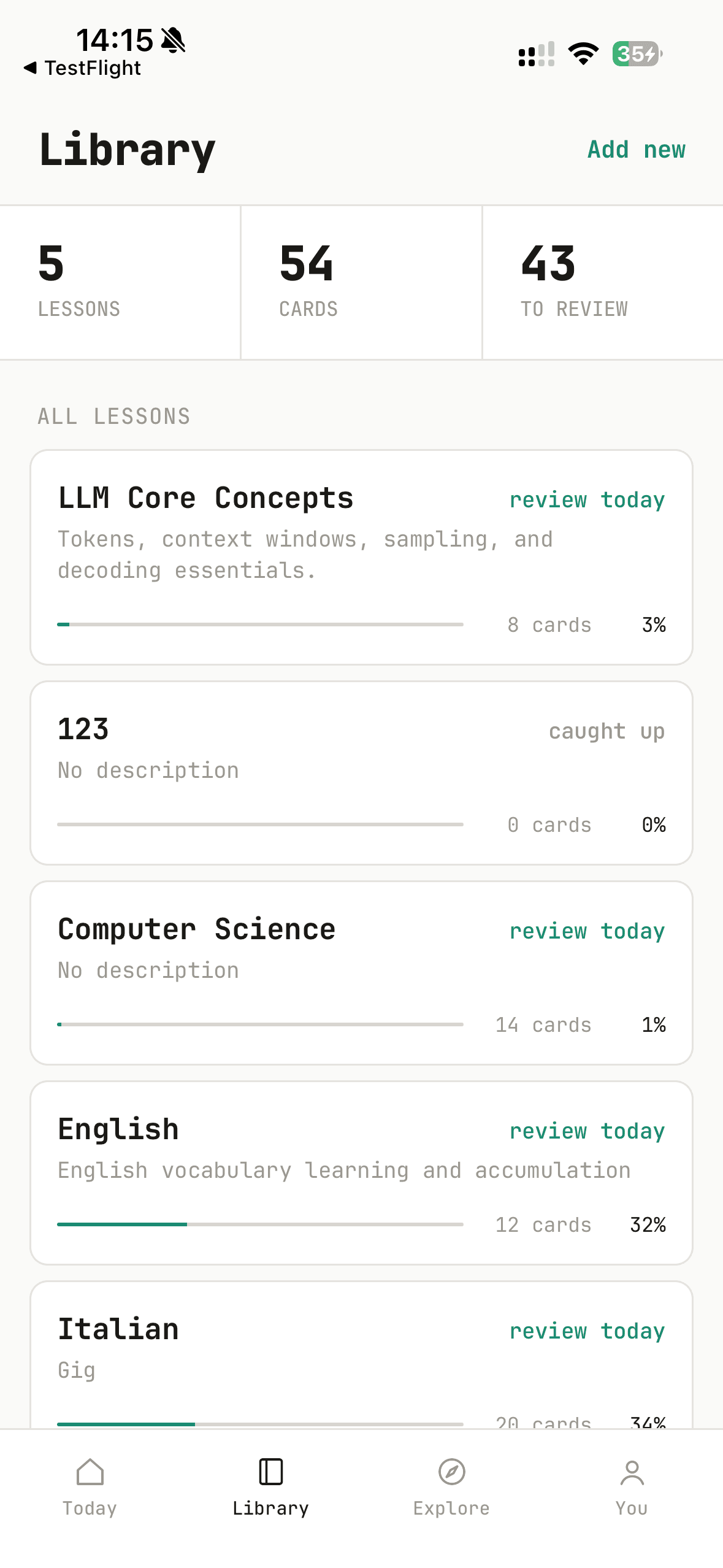
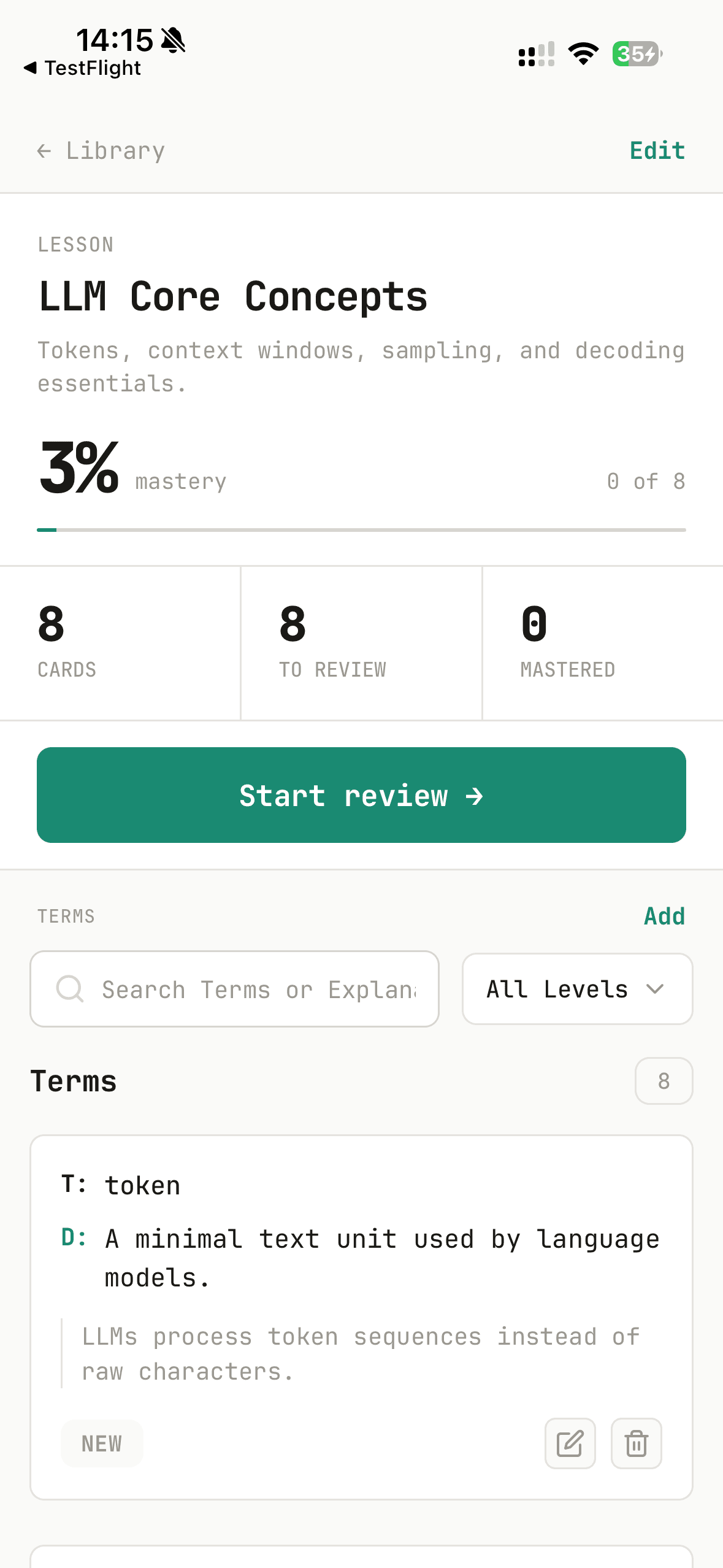
A quiet, typography-first system for spaced-repetition learning. Borrowed from editorial print — generous hierarchy, hairline rules, restrained colour. The screen treated as a page. One accent. One surface tone. One radius scale. Decisions, not options.
Hierarchy by weight, scale, and white space — not boxes, shadows, or accent fills. A heading does the work a card would do elsewhere.
Teal #1A8A72 reserved for state: due cards, active tabs, primary actions, mastery progress. It earns attention because it is rare.
1px borders on warm white separate regions. Shadows not used. Surfaces are flat and meet at clean edges.
Streak counts, queue totals, mastery percentages set in the heaviest grotesk weight at large sizes. Data is the headline.
Distinct rounded cards with 8px gaps — never flush list-rows. Each card is its own object on the page canvas.
Create is the one moment shadow appears: a circular FAB raised above the tab bar. Every other surface is flat.
The Loop Held Up in Testing
Testers stopped asking “how do I add a card” and started asking “can I import more file formats” — the shift confirmed they'd moved from onboarding friction into active daily use.
Preferred method of card creation
AI generation is the primary action — manual entry is a fallback, not the default.
Importance of personalized study content
Every card in MemQ was generated for you, from what you personally wanted to learn.
“This is the most seamless study experience I've seen. I would feel 100% confident ditching my old messy notes for this.”
— Round 2 usability testing participant
Future Directions
LLM & Browser Integration
A browser extension that intercepts AI chat sessions and lets users save any answer as a knowledge card in one tap — making the learn-from-AI workflow completely seamless.
Richer Multi-modal Recall
Add image support — starting with camera capture — to reinforce memory at both the term and question level, tying abstract concepts to concrete visual cues.
Vocabulary-first Card Depth
Optimize vocabulary cards as a dedicated surface: pronunciation (audio and IPA where it helps), richer example sentences, and explicit synonym/antonym links — so language decks feel as deep as dedicated apps without breaking the MemQ review loop.
Social Learning Loops
Build on the Explore platform with learning cohorts — where users can follow each other's progress, remix published lessons, and keep each other accountable.
Try MemQ on iPhone
Turn any AI conversation into lasting knowledge. Free to download.